This guide shows how to connect an Omron 3G3M1-ECT multi-function compact inverter (EtherCAT type) to an NX-series safety controller using Safety over EtherCAT (FSoE). It is a quick-start for electrical engineers and others who design, commission or maintain control systems in Sysmac Studio.
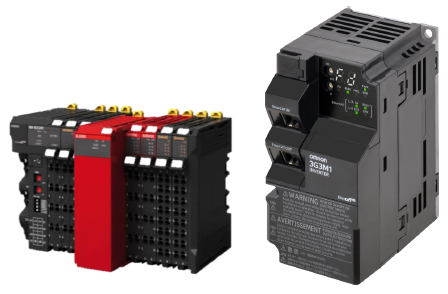
The guide covers these steps:
- Hardware setup: wiring the inverter and the NX safety controller (here on an NX-ECC203 coupler) over EtherCAT, and setting both SW9 switches to ON to enable FSoE.
- PDO mapping: selecting the 273rd receive and transmit PDO mappings (1710 hex / 1B10 hex) in Sysmac Studio.
- Safety units: adding the safety CPU (NX-SL3300) and the safety I/O units (NX-SIH400, NX-SOD400), with a dual-channel emergency stop and a reset button as the example.
- FSoE addressing: entering the FSoE slave address in inverter parameter H483 so it matches the controller’s configuration.
- Programming: mapping safety variables in the I/O Map and using Sysmac Studio’s automatic programming function to generate an example program built on SF_EmergencyStop.
The guide also includes Omron’s standard safety precautions and terms of use. For full details it refers to the related manuals: W504, I589, I670, Z930 and Z931.
Was this article helpful?
That’s Great!
Thank you for your feedback
Sorry! We couldn't be helpful
Thank you for your feedback
Feedback sent
We appreciate your effort and will try to fix the article