Configuration of FSOE
Overview
- PDO setup
- Safety setup
- Parameter setup
PDO setup, FSoE function on M1
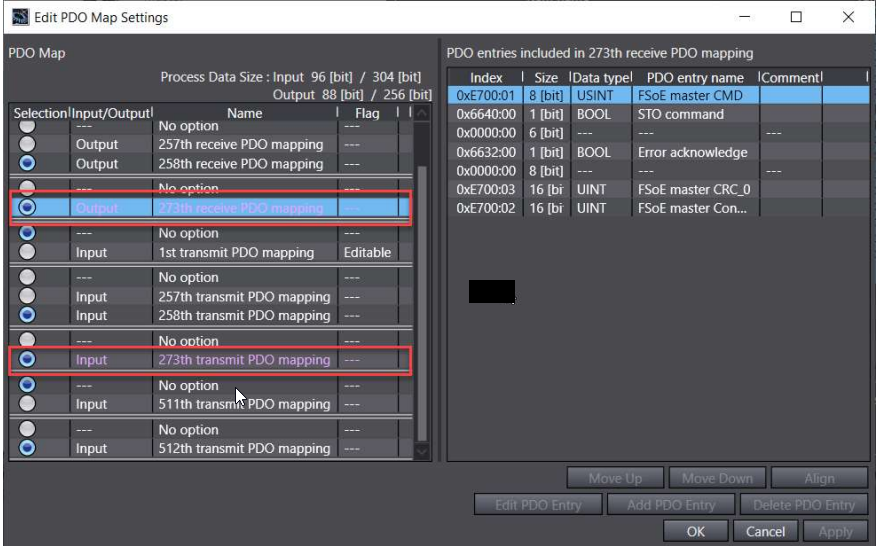
-First we need to add the PDO for inputs and outputs on the 273th transmit PDO (This will allow to have the STO data available to be used on the safety PLC area)
Safety setup
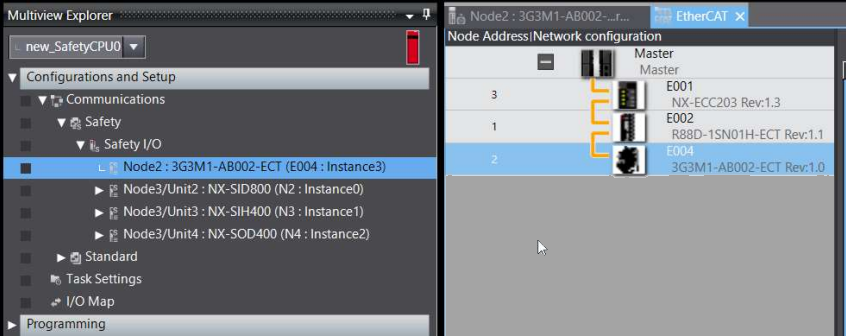
-The M1 is presented like this on the safety PLC area when above PDO are selected
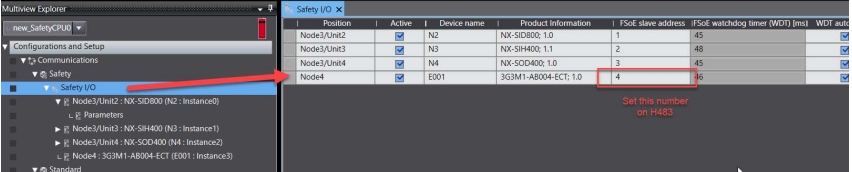
We don’t have any parameter for setup safety but we need to check carefully the FSoE node that is assigned by the safety CPU that is independent of the Ethercat node.
Parameter setup
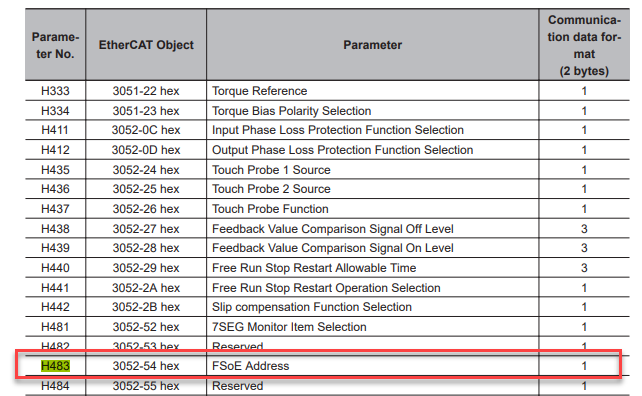
-The FSoE node number should be written into the H483 manually (If node is not set to the proper number we’ll have a Slave Init error on the safety part)

Was this article helpful?
That’s Great!
Thank you for your feedback
Sorry! We couldn't be helpful
Thank you for your feedback
Feedback sent
We appreciate your effort and will try to fix the article