We recommend M1 and 3G3R1 as replacements.
Q2V Basic Setup |
Links for more information (Norwegian SharePoint)
| ? Documents Folder | ? EtherCAT ESI files for Sysmac Studio | ? OEN_Drives Function Blocks |
| ? Drive guide | ? Braking resistors |
If you buy the Bluetooth panel JVOP-KPLCC04ABZ, you can connect to Q2A and Q2V with this iOS app or this Android app.
Q2Edit
Software for entering parameters, test running and taking backups through the USB port.
Q2dev programming tool for Q2A/Q2VThis tool allows very intuitive visual Function Block Diagram programming to build customized applications in the Q2 series drives. You will be asked for a unique ID and password during software setup. Please keep it safe and share it only with your close co-workers, not with third-party companies. Programs made with this license include its license signature, which makes applications traceable.
IMPORTANT: Projects developed with the BETA version CANNOT be opened directly in V1.0. The program must be rewritten, following the FB execution number (inside each block) to get a 1:1 equivalent. Email support.norway@omron.com and ask for a free personal Q2dev license. Backup and restore of drive parametersIf you're replacing a drive or want the same setup on several drives, it's a good idea to back up the parameters to the operator panel. You can then take the panel to another drive and restore them. The procedure for Q2V is in the Q2V Technical Manual, chapter 4.7. Here's the short version:
The procedure for Q2A is in the Q2A User Guide, chapter 4.5. The Q2A operator panel can store 4 different parameter sets. Data logging to microSD on Q2ASee the procedure in the Q2A User Guide, chapter 4.5. You can log up to 10 variables, and the data is saved as a *.csv file. The microSD card (max 32 GB) is mounted in the operator panel and has no other function than data logging. | 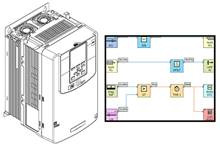 |
Q2A communication optionsQ2A uses the same option boards as A1000. You can find the manuals here. 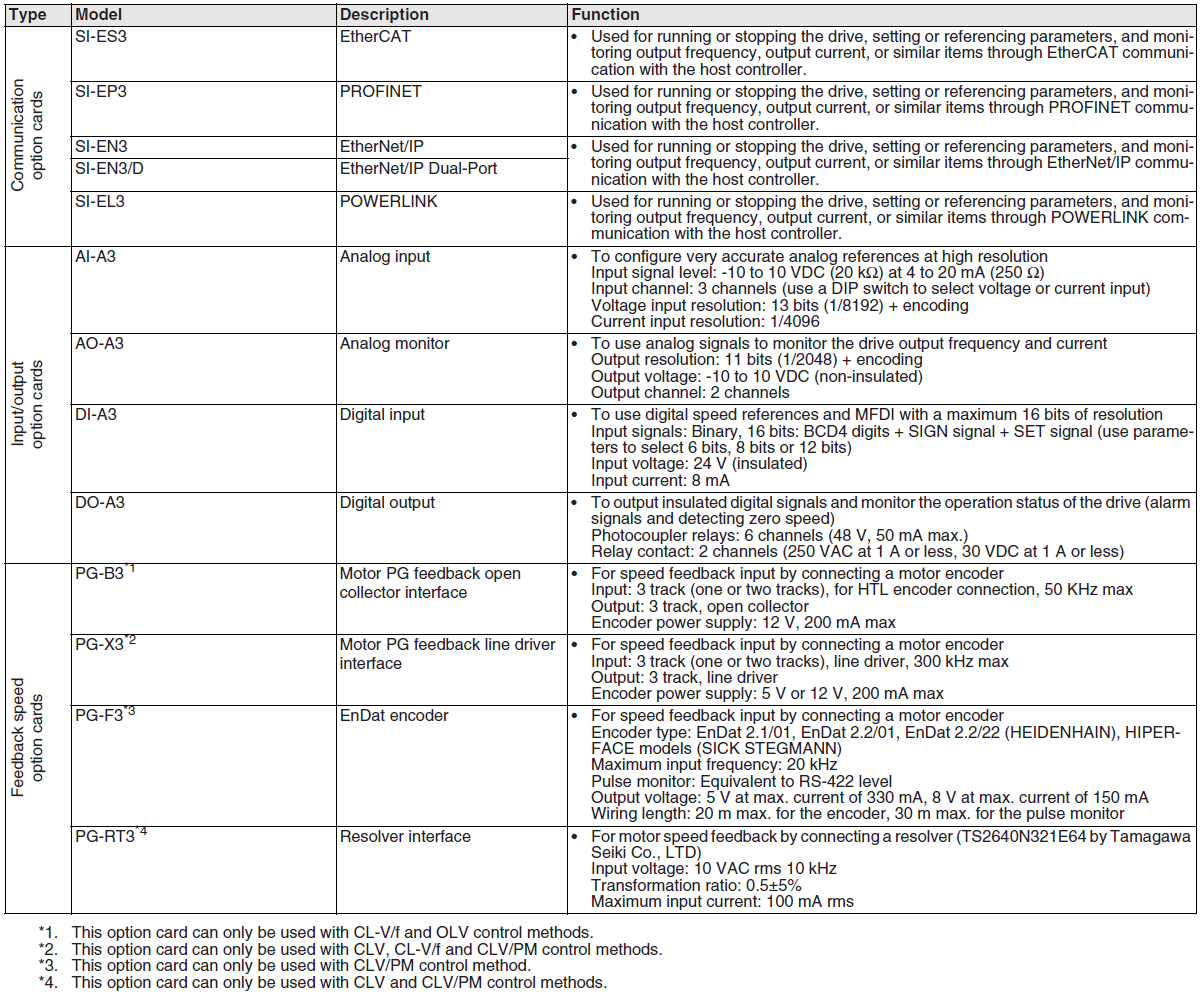 Placement of option boards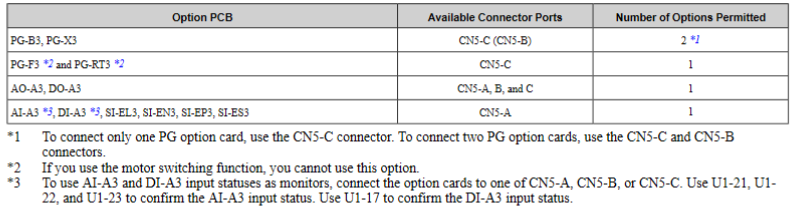 | You also need the mounting frame JOHB-Q2V. 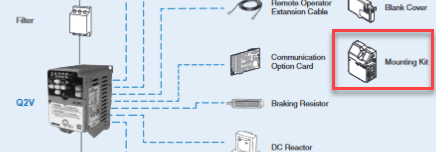 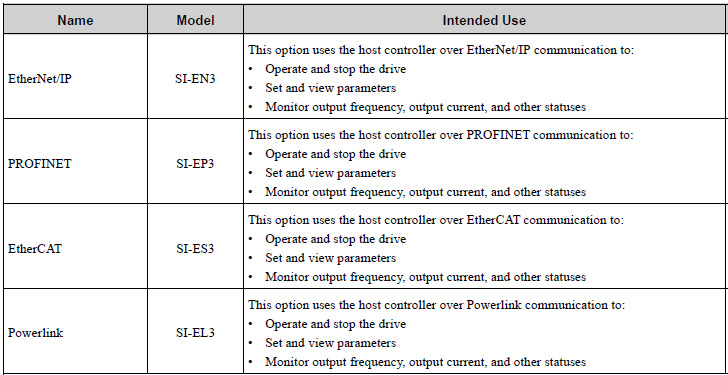 SIEP YEUOQ2V You set the address of the SI-ES3 in Sysmac Studio. The address is stored internally on the SI-ES3. Q2A encoder
|
Was this article helpful?
That’s Great!
Thank you for your feedback
Sorry! We couldn't be helpful
Thank you for your feedback
Feedback sent
We appreciate your effort and will try to fix the article