Related page
| ? EtherCAT |
Start here
- Get the error log history from the controller and check whether any related errors appear.
- Check the primary task time. If it's tight, you may need to increase the task time.
- Check the Total cable length setting on the EtherCAT master. On systems with many slaves, the default value is sometimes not enough. Increase it by about 1000 m. The value is used to estimate the network delay.
Network diagnostics
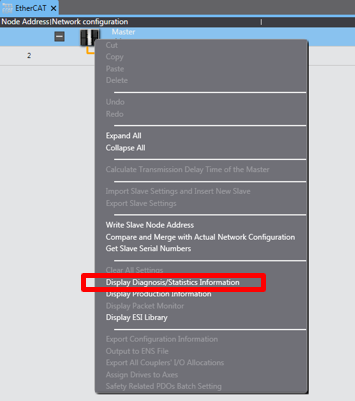 See also chapter 9-5 in manual W505 and P114. 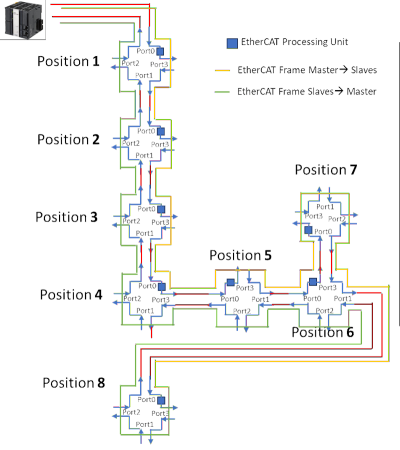 The image above shows how a data frame moves between the nodes. The yellow outgoing frame travels all the way to Pos 8 via Pos 6, which is a junction, before returning by the shortest route to the master. The blue boxes update the part of the frame that concerns that node. So at Pos 8, all nodes have received their data and have also updated the telegram with the data to be sent back to the master. All nodes have 4 internal ports, but only the junction (GX-JC06) has a physical connection to all four. Ports that are unused or disconnected are automatically bypassed. 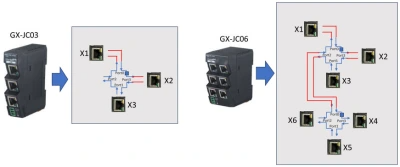 | 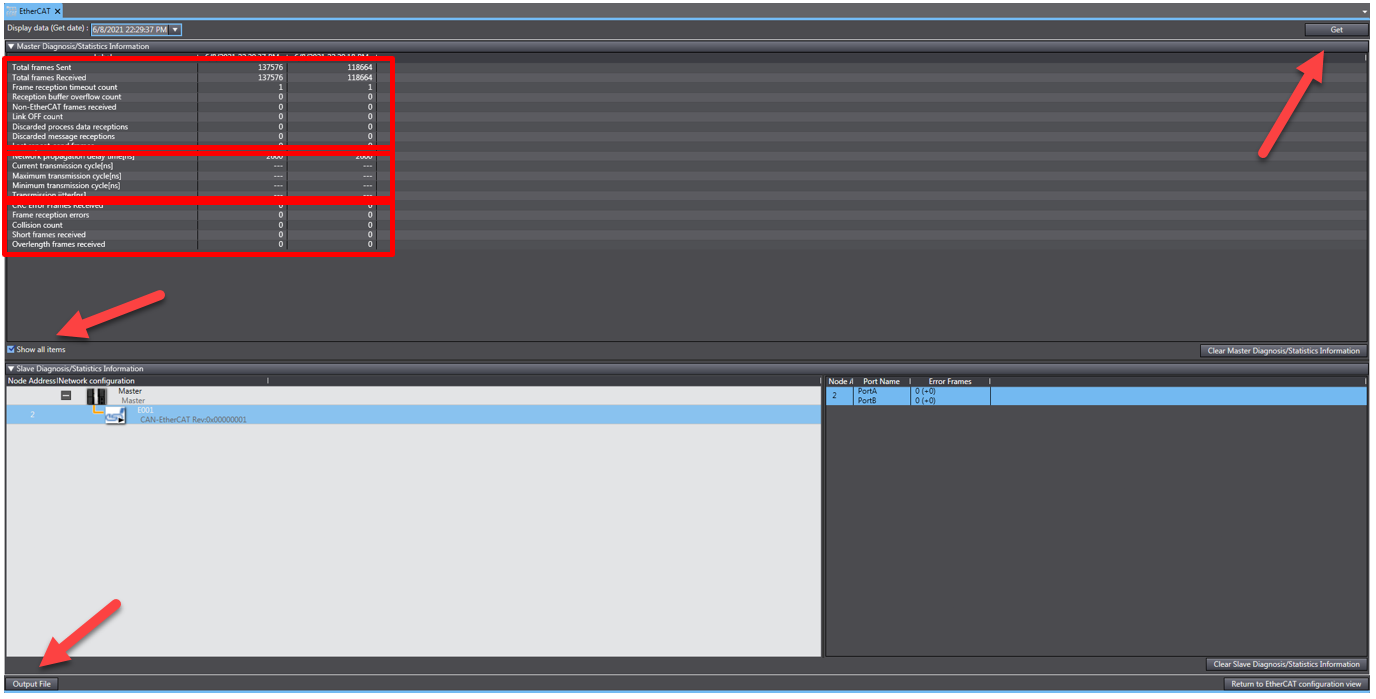 Here you can see how well your nodes are communicating. If the CRC count is increasing, you most likely have an electrical noise problem. Check the shielding and so on. It can honestly be hard to find – real ghostbuster work. It's better to reinforce and review the EMC/EMI countermeasures and the wiring layout (EtherCAT cables should not share cable ducts with noise sources). Click Get to update the data. Each reading is saved with a timestamp that you can bring up from the menu at the top. To export it, select Output File and a "Viewer"-file. That makes it easy for others helping with the troubleshooting to see the setup (via Tools → EtherCAT Diagnosis). Information for each node is shown in the field at the bottom right after selecting a node on the left. 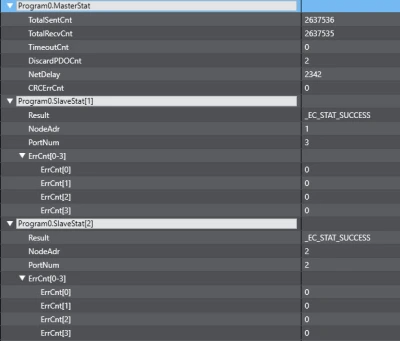 Firmware 1.64 added more function blocks for EtherCAT diagnostics. The data in the image above comes from 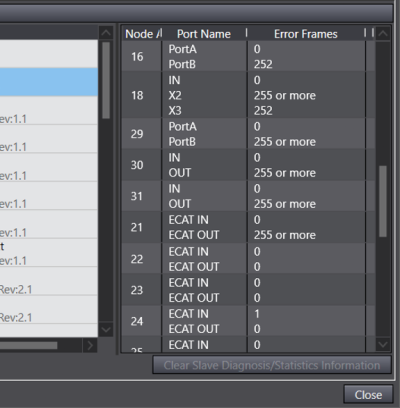 In this example, node 16 has 252 errors on Port B. That is incoming data from node 18 (a junction), which has the same number of errors on X3. You need to work your way further down until you find the last node in the network with errors on its incoming port (Port B). The fault is then between that node and the next one below it – typically between 22 and 21 in the example.
|
Slave Initialization Error (0x84230000)
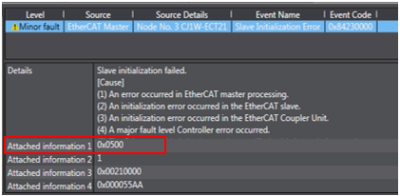 Check the controller state code | 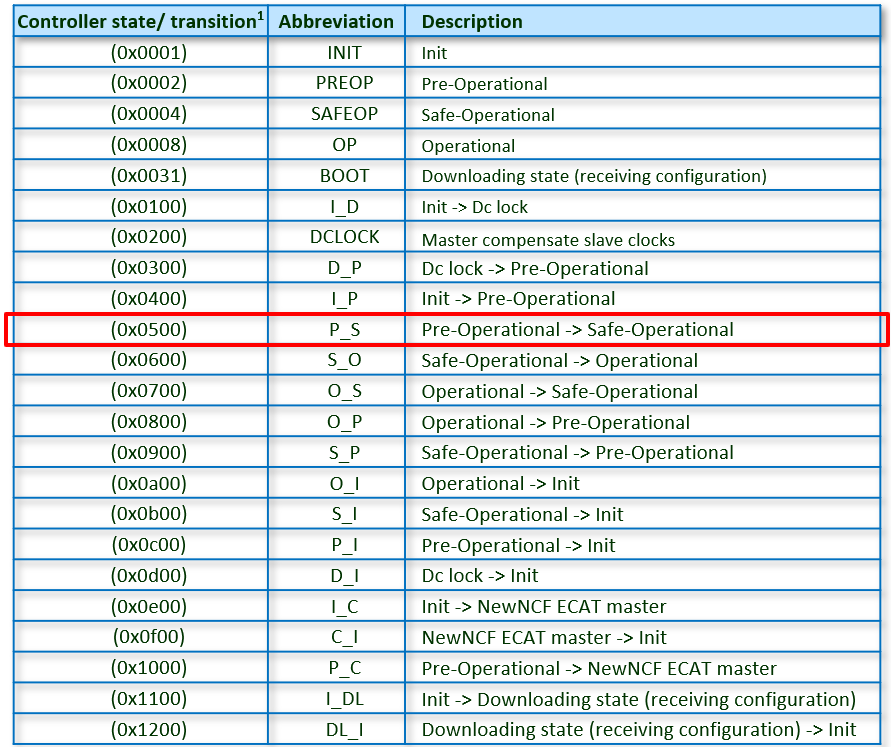 |
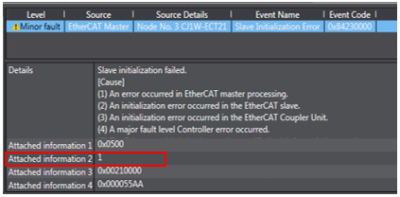 Check Info 2 | 1 = Abort |
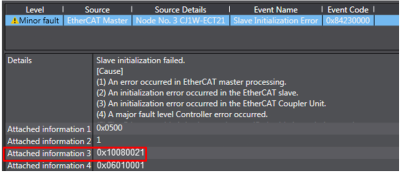 Index:Subindex | Example: |
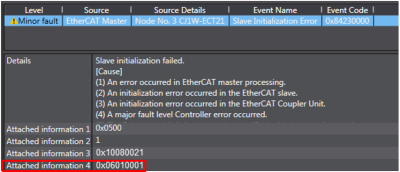 Abort code | 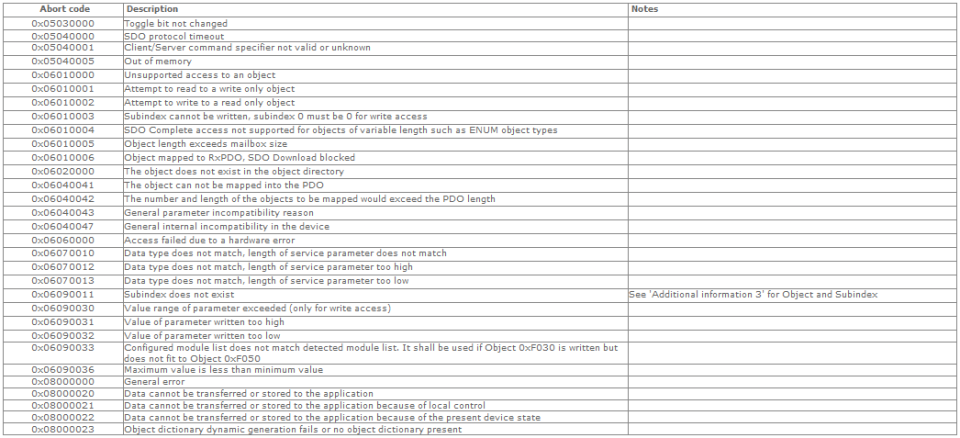 |
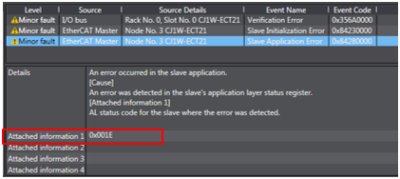
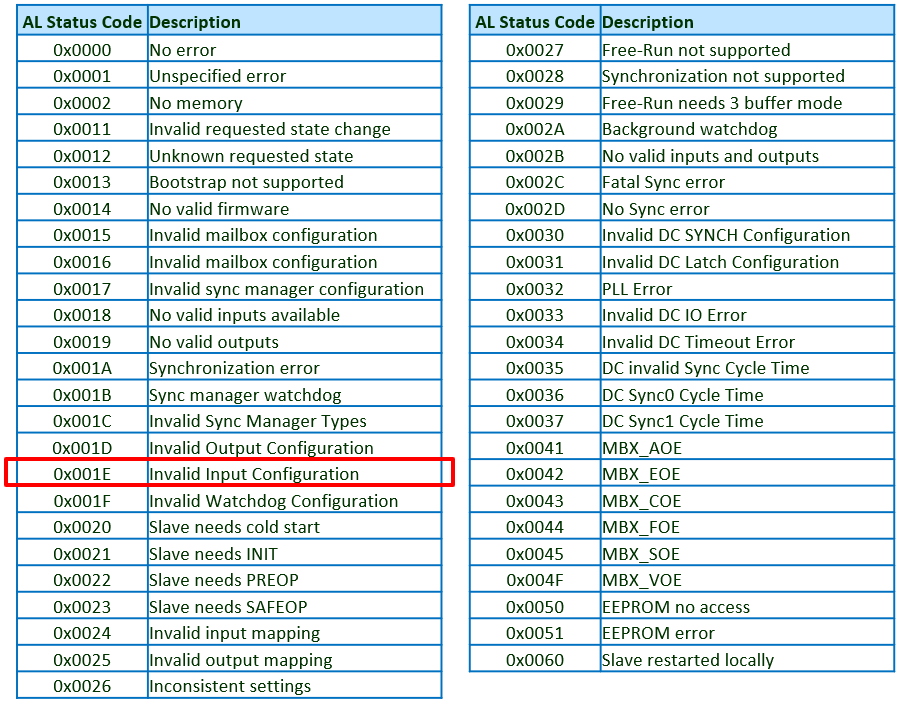
Slave Application Error (0x84280000)
 |  |
Was this article helpful?
That’s Great!
Thank you for your feedback
Sorry! We couldn't be helpful
Thank you for your feedback
Feedback sent
We appreciate your effort and will try to fix the article