Introduction
Method 1: Resetting it manually:
Step 1: Go online with Sysmac Studio to your NJ-controller.
Step 2: Right click under Configurations and Setup ->EtherCAT on the Servo drive that has the Absolute Encoder motor connected and click Online.
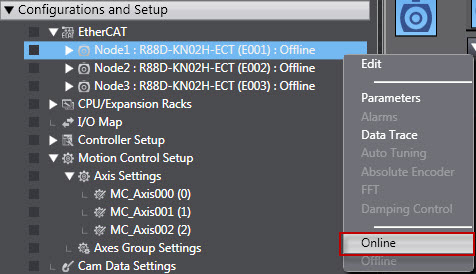
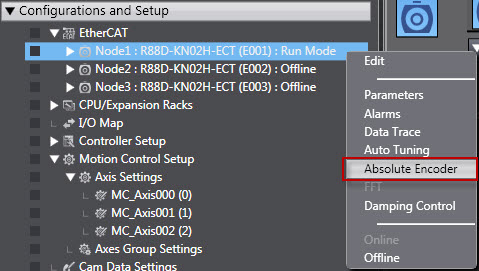
Step 3: Right click again on the Servo drive and click on Absolute Encoder.
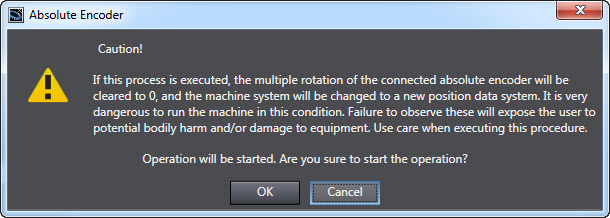
Step 4: The following warning will show:
Step 5: There are 2 buttons on the bottom of the next screen. Click first on the Multi-
Turn Data and Encoder Error Clear button and then on Drive Current Error and Battery Alarm Clear button.
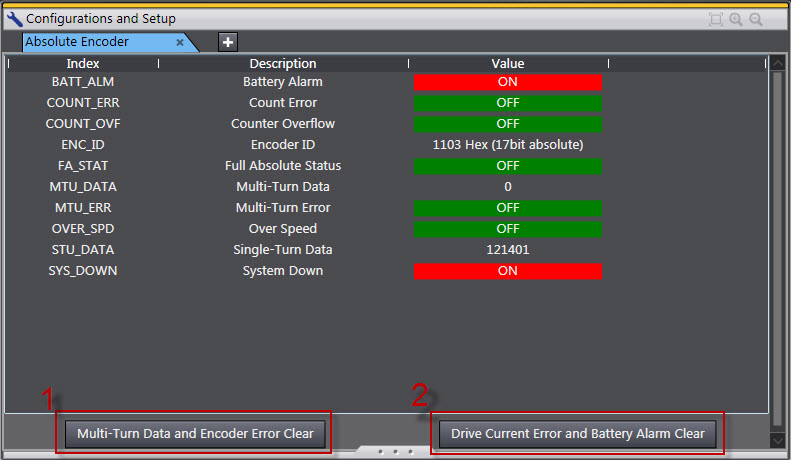
Step 6: After clicking on the Drive Current Error and Battery Alarm Clear button this 2 warning displays will be shown:
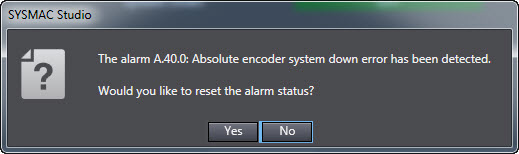
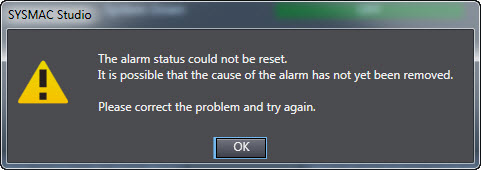
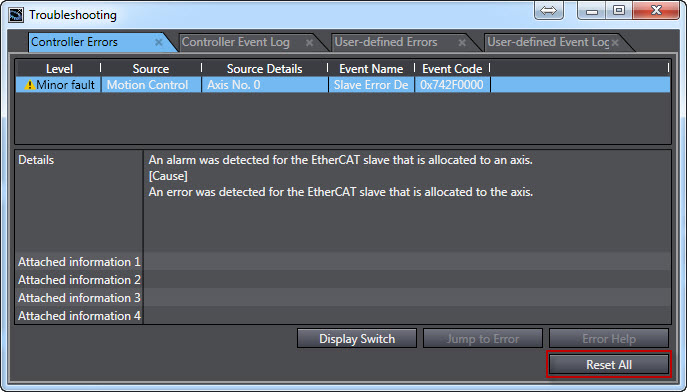
Step 7: Reset the Error through the Troubleshooting under Tools -> Troubleshooting
Method 2: Resetting it automatically:
You can write code to reset from the program. How it is activated (automatically or through an HMI button etc) is up to the programmer. This example will reset the Servo's encoder after power on.
Step 1: Make an Inline ST with this following code:
SdoObj.Index:=16#4102; //Reset the Encoder ABS

SdoObj.Subindex:=0;

SdoObj.IsCompleteAccess:=FALSE;

WriteData:=DWORD#16#6A646165;
Step 2: Add code to call the Function Block EC_CoESDOWrite and put in the needed parameters, for example:
.jpg)
Step 3: Synchronize your project.
Was this article helpful?
That’s Great!
Thank you for your feedback
Sorry! We couldn't be helpful
Thank you for your feedback
Feedback sent
We appreciate your effort and will try to fix the article