Objective
This article is intended to explain how to connect to a CJ2M CPU if the default USB communication setting fails.
Introduction
The default communication methods for the CJ2M are Ethernet/IP or USB. The communication setting can be configured by creating a new project or with executing ‘Direct Online’ within CX-Programmer.
Creating a New Project
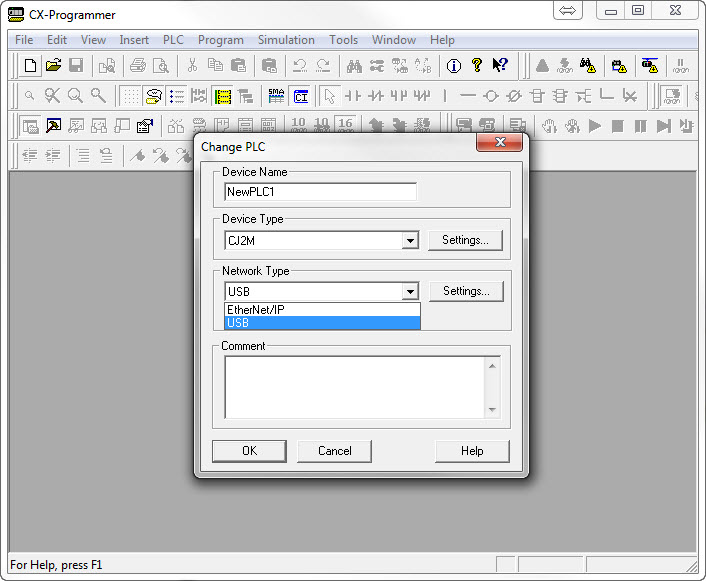
Creating a new project offers two communication options for a CJ2M; Ethernet/IP and USB as shown below.
Direct Online
‘Direct Online’ --Not to be confused with Ethernet/IP Node Online-- offers the following communication options:
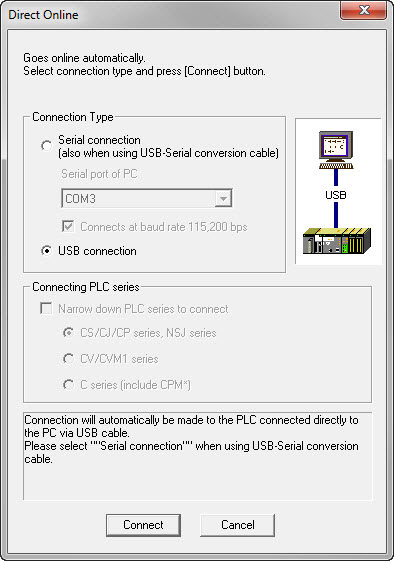
Selecting ‘USB connection’ enables CX-Programmer to search for a CJ2M using USB connection.
CX-Programmer fails to connect to the CJ2M but it does connect using ‘Direct Online’
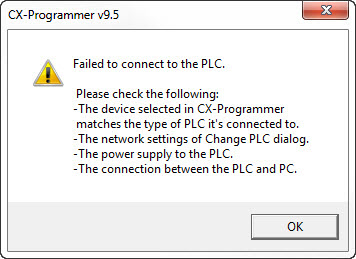
CX-Programmer is unable to connect to the CJ2M using ‘USB’ as communication method and shows the following message:
The ‘Direct Online’ communication method scans for devices using 'USB' and 'Toolbus (USB port)'.
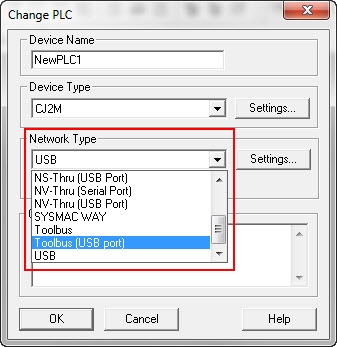
How to go configure 'Network Type' as 'Toolbus (USB port)'
Please follow the steps described below to change 'Network Type' to ‘Toolbus (USB port)':
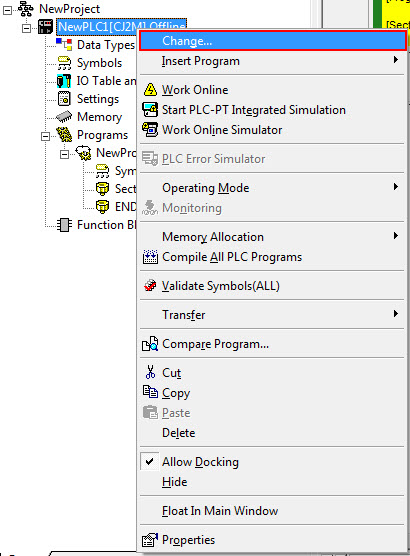
- Open ‘Change PLC’
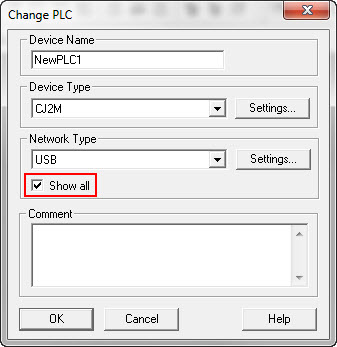
- Check ‘Show all’:
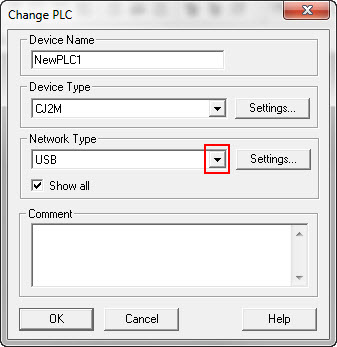
- Click on the drop down menu of 'Network Type':
- ‘Toolbus (USB port)’ can be found in the list:
- Press ‘OK’ to acknowledge the new setting:
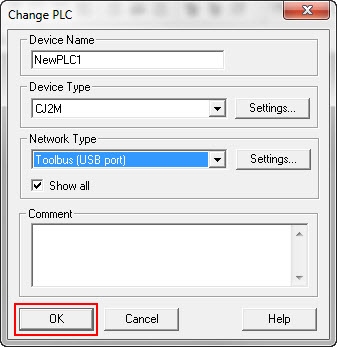
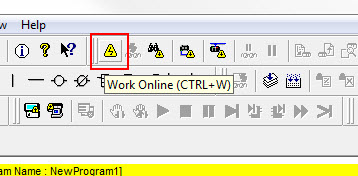
- CX-Programmer should now be able to go online with the CJ2M:
Was this article helpful?
That’s Great!
Thank you for your feedback
Sorry! We couldn't be helpful
Thank you for your feedback
Feedback sent
We appreciate your effort and will try to fix the article