Introduction
2. Feed the Promi SD (or USB power supply. 5v)
3. Install and run the configurator PromiWin
4. Select the port and the communication format 9600, N, 1.
5. In the Device Settings menu, select 3 and format 115200, N, 1, and a password (1234 default) and check Authentication.
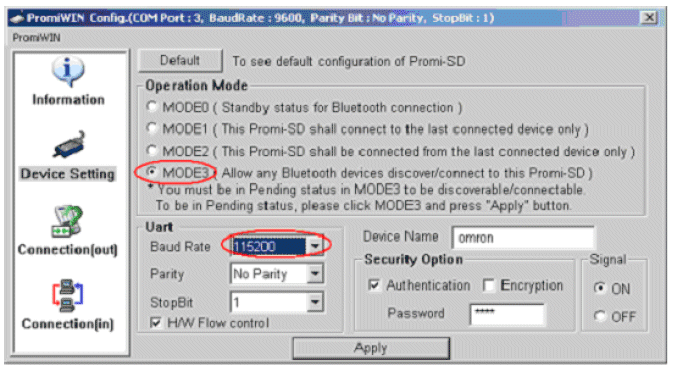
II. Configuration PLC CS / CJ
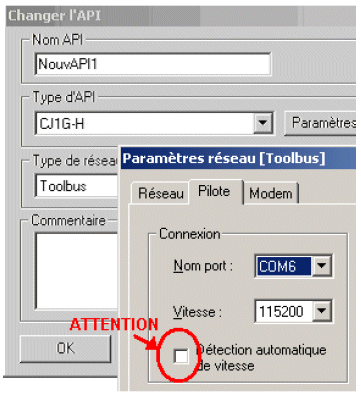
1. Configure the port RS232C mode Toolbus, 115200 format 8, N, 1 is taxed (offset display format)
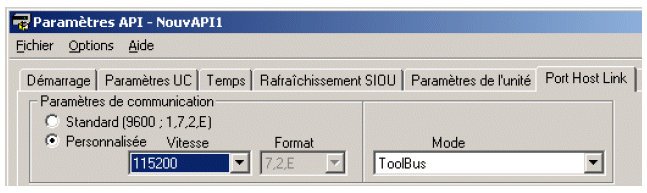
2. Turn switch 5 on the front of the PLC to OFF (settings)
III. Connecting the PC to Promi SD
1. Perform a search for Bluetooth device
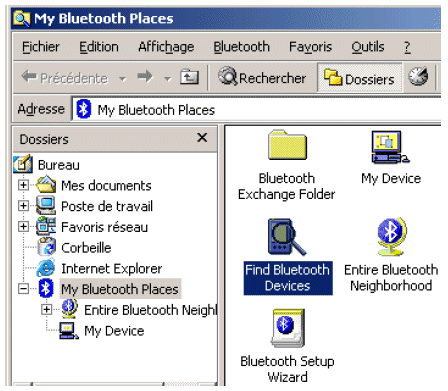
2. Double click on Promi-SD20202A
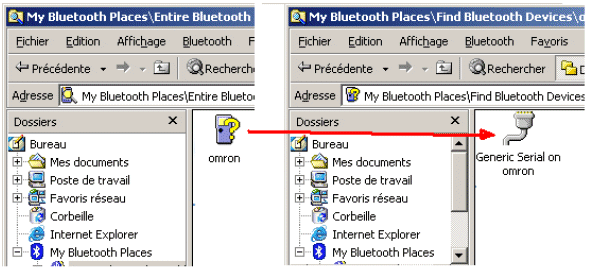
3. Click to accept the connection request of Promi-SD.
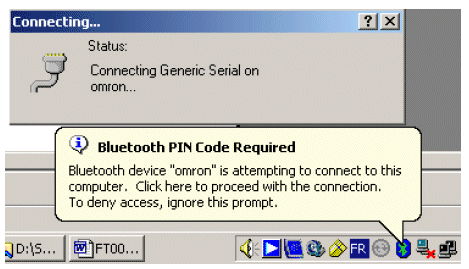
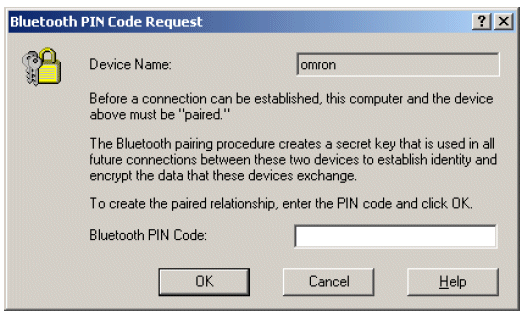
4. Enter the Bluetooth PIN code 1234 (default)
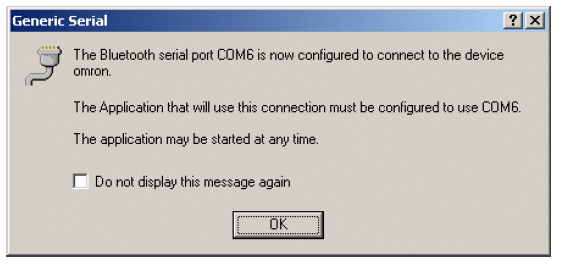
5. Note the number assigned to the Bluetooth virtual serial port (COM6 here)
IV. Connecting Cx-Programmer to the PLC
1. Configure the CX-Programmer connection as below
V. PLC to NS Connection
The NT-Link format is not fixed, you must use the fixed Hostlink (Sysmac-Way).
VI. Multiple connections
You can connect up to 7 pieces of Omron equipment if you add a Promi-MSP 102 type router and 14 pieces equipment if adding a second router Promi-MSP 102.
Was this article helpful?
That’s Great!
Thank you for your feedback
Sorry! We couldn't be helpful
Thank you for your feedback
Feedback sent
We appreciate your effort and will try to fix the article