Overview
- Temporary solution
- Output as the external brake output
The 1S Servo brake relay lifetime is 32,000 cycles before the Brake Interlock Output Relay Lifetime Warning is generated and an alarm occurs in the drive. Using an external relay will allow easy replacement of the switching relay as it is an external relay, rather than internal. The lifecycle of the internal brake relay can be used prematurely in machines that incur high frequency safety interruptions via STO function, or the user programming results in the servo lock being switched often via MC_Power, instead of keeping power on.
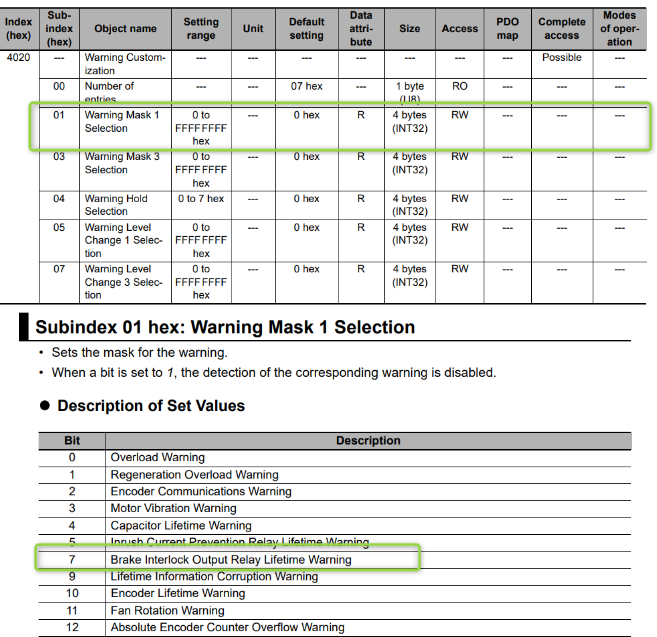
The number of cycles that the internal brake relay has been utilised is counted in 4140-87 hex. You can change the level to minor fault by using Warning Level Change 1 Selection via 4020-05 hex and setting to 128.
- Temporary solution
For models V1.1 or earlier, when a A7.04 error occurs, the repair needs to be done at an OMRON Service Centre if the relay has failed.
As a temporary solution, for all firmware, you are able to inhibit the warning. Set parameter 4020.01 = 128. The mask is bit wise so needs a decimal number.
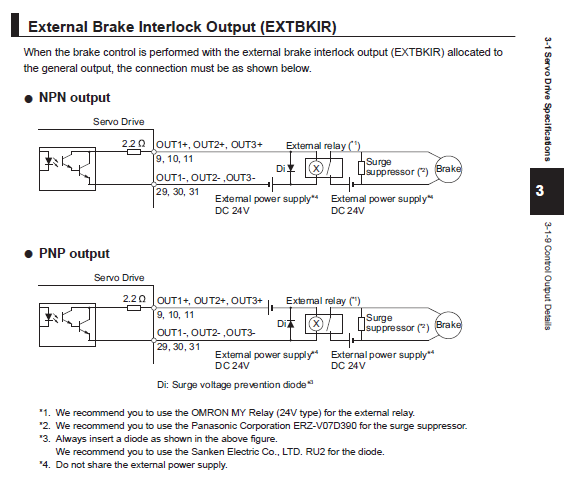
This procedure only applies to the standard 1S Servo drive unit versions 1.2 or higher as the BKIR function can be assigned to an output. Relay lifetime is NOT applicable to the 1SA safety rated Servo. However this can be applied to the 1SA Servo should its brake relay fail.
Step 1 - Wiring
Extract from section 3-1-8 of manual i586 - AC Servomotors/Servo Drives 1S-series with Built-in EtherCAT® Communications manual.
Step 2 - Configuration
In this example we will be allocation Output 1 as the external brake output.
From the Multiview Explorer, right-click on the 1S Drive under EtherCAT and select Setup and Tuning > Quick Parameter Setup and I/O Monitor > Next > Next to arrive at the Output Signals Setting. For Output 1 select "External Brake Interlock Output - Port Selection (EXTBKIR)" as shown below.
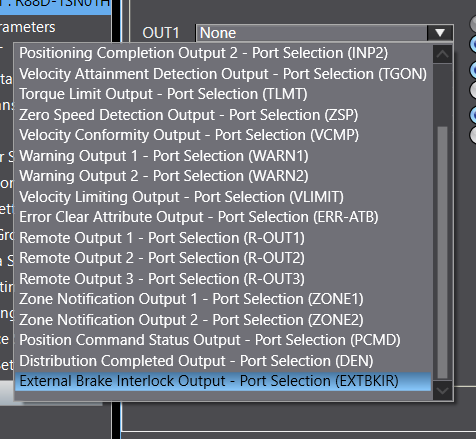
Sysmac Studio will show a pop-up informing you that the normal Brake Output on CN12 has been disabled. Press OK to close the dialogue box.
Cycle power and the issue should be resolved.
This is only to be used a temporary solution.
For models <= V1.1 firmware
1. For models V1.1 or earlier, when a A7.04 error occurs, the repair needs to be done at an OMRON Service Centre if the relay has failed.
As a temporary solution, for all firmware, you are able to inhibit the warning. Set parameter 4020.01 = 128. The mask is bit wise so needs a decimal number.
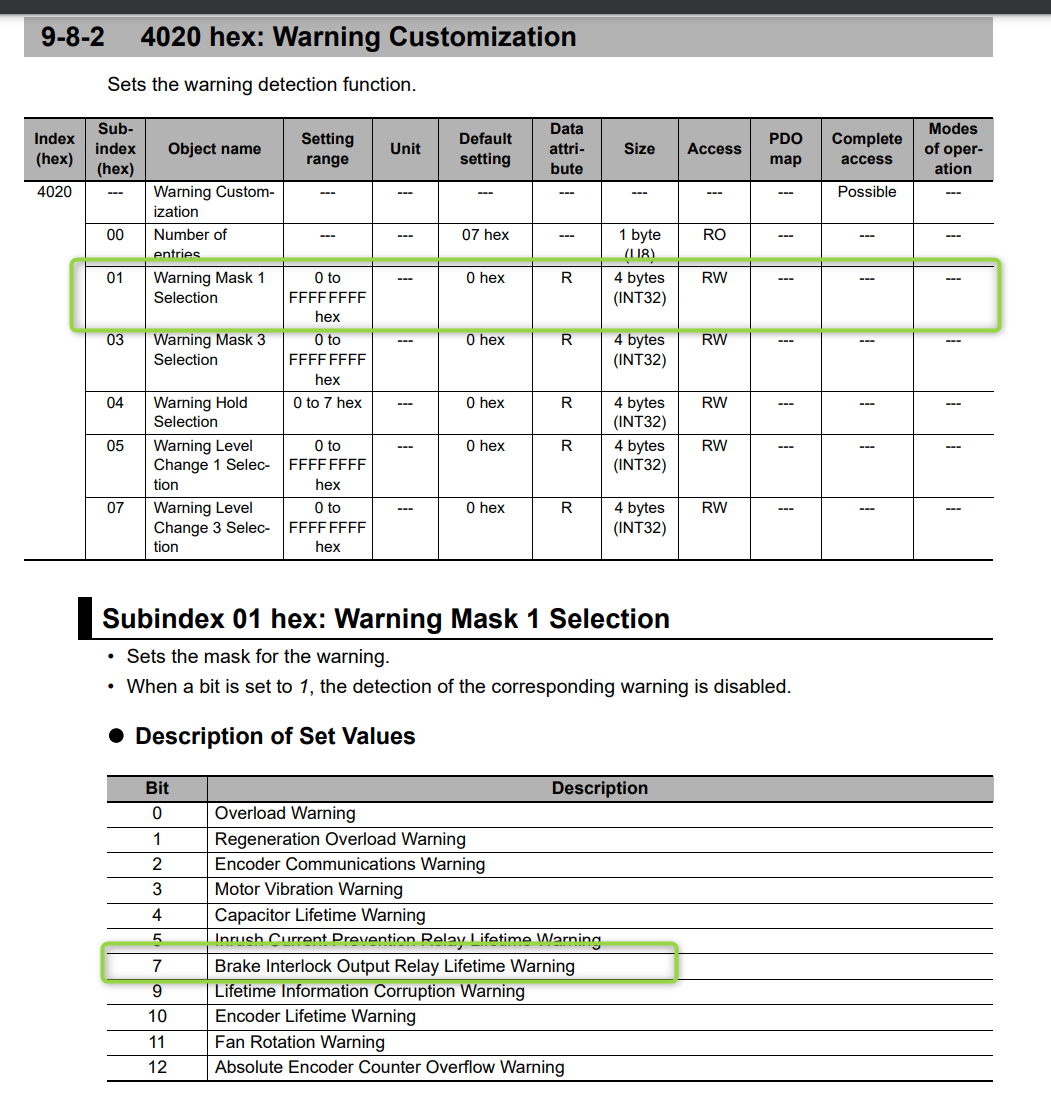
Cycle power and the issue should be resolved.
This is only to be used a temporary solution.
Was this article helpful?
That’s Great!
Thank you for your feedback
Sorry! We couldn't be helpful
Thank you for your feedback
Feedback sent
We appreciate your effort and will try to fix the article