This article will describe how to connect a NS terminal directly to a MX2 inverter.
Hardware
- MX2 inverter;
- NS terminal;
- NS-AL002.
Connection
Because the NS terminal has an RS232 port and the MX2 has an RS422/485 port we need to convert the signal. This can be done with the NS-AL002.
In this example the converter is connected to port 1.
Dipswitch settings:
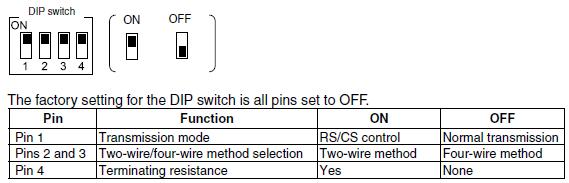
.jpg)
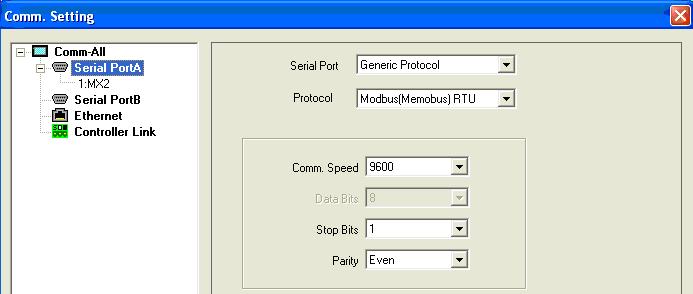
NS communication settings
The NS communication settings can be different, you can choose an higher speed etc. but keep in mind that the settings in the MX2 inverter has to be the same.
Later in this article you can find the communication parameters for the MX2.
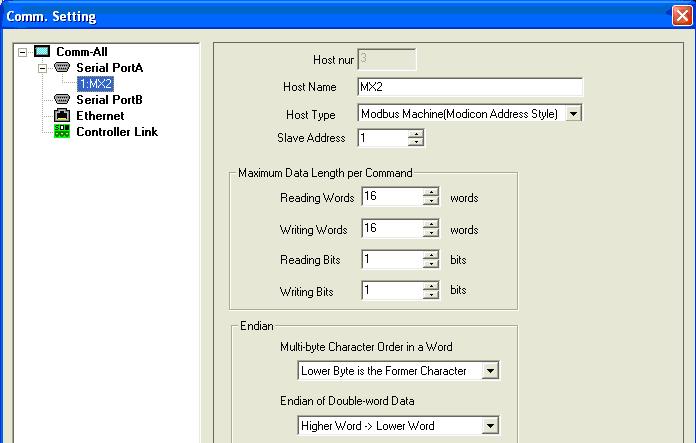
Host settings:
MX2 communication settings

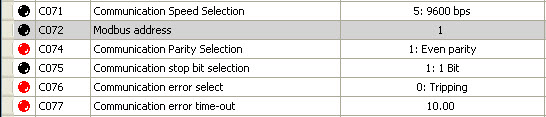
C076 and C077 are not necessary to make an connection with the NS terminal but we'll advise to use them to detect an communication error.
Program examples
Keep in mind that the adresses which are described in the MX2 manual are in HEX and the data in the NS has to be in decimal format.
RUN Commando:
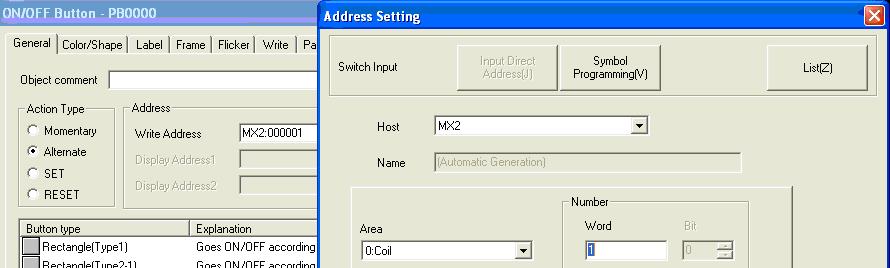
We can find the adress in the MX2 manual

Frequency setting:
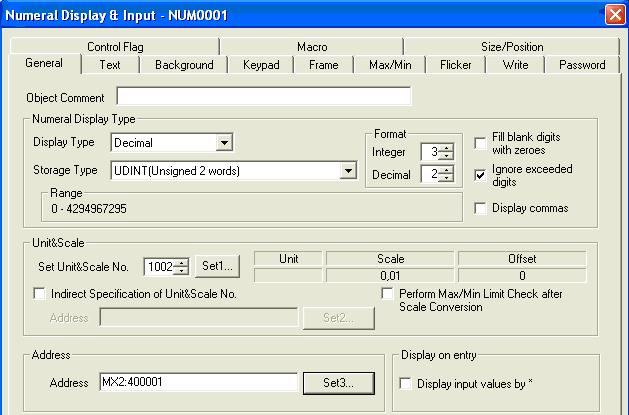

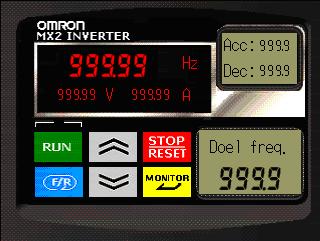
You can find the display below in the attached file.
Was this article helpful?
That’s Great!
Thank you for your feedback
Sorry! We couldn't be helpful
Thank you for your feedback
Feedback sent
We appreciate your effort and will try to fix the article