Introduction
Conditions of use
PLC:
- CP1H + CP1W-CIF01 + CP1W-CIF11/12
- CP1L-M + CP1W-CIF01 + CP1W-CIF11/12
- CS1/CJx + CJ1W-SCU21-V1
- CS1/CJx + CJ1W-SCU41-V1
Principle
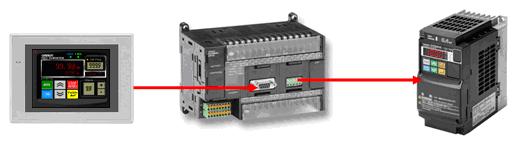
NS Terminal is connected to a PLC (serial port A or B). The SAP uses FINS command to send request which are converted to Modbus RTU using the Gateway functionality of the PLC serial port:
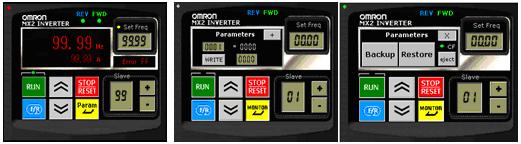
The MX2 SAP can:
- Control the output frequency
- Control de output current
- Status (Run forward/reverse)
- Read/write parameter via Modbus MX2 addresses
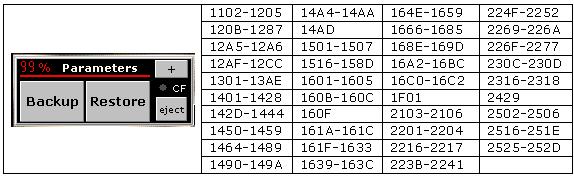
- Backup 850 parameters into a CF card (except Modbus comm parameters)
- Restore these parameters into the MX2
Configuration
Once the SAP has been draged & droped on the page, a double-click will display the windows to setup the communication. Attention, this operation should be executed only once. In case of error, suppress the SAP and drag & Drop again a new instance.
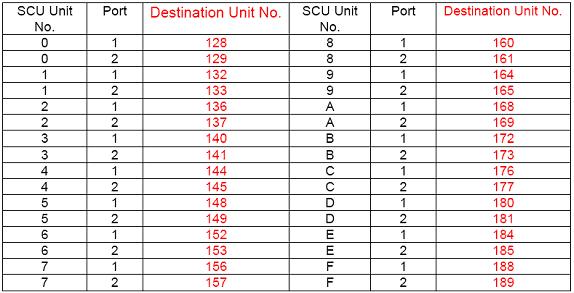
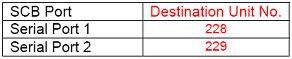
Then specify the port n° according to the following table:
Unit CJ1-SCU:
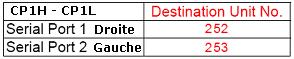
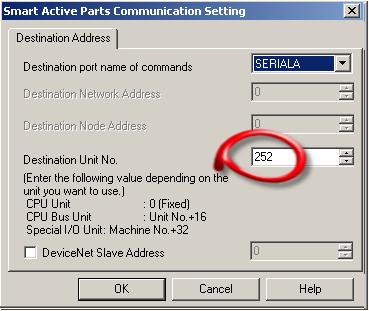
PLC configuration
The PLC serial port should be configured in Serial Gateway mode:
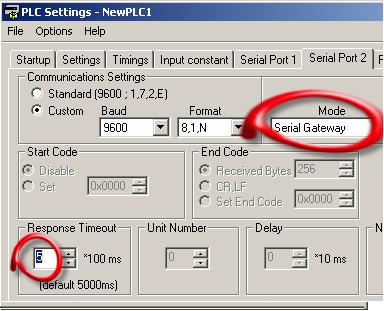
Reduce the response timeout to an appropriate value. A value less than 1 second would be better until the SAP timer is cycling at 1 second
NS configuration
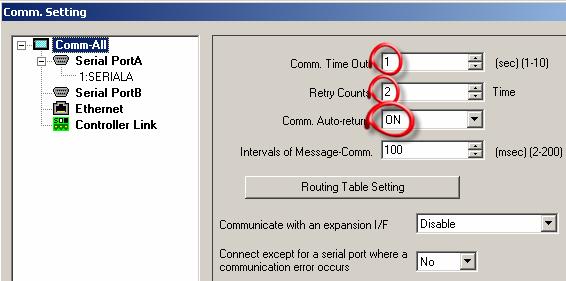
MX2 communication configuration
These parameters are set manually using the keypad device to enable the Modbus communication with the PLC:
.jpg)
WARNING: MX2 should be restarted after any changes !!
Backup/restore Functionality
This option accessible with the + button, allow to Save/Restore in/from a CF card, following parameters:
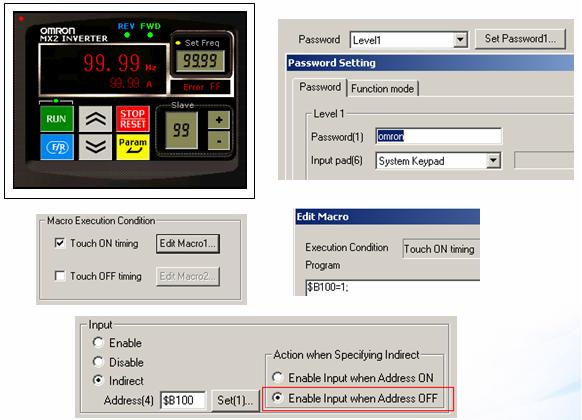
Access could be protected using the command button not visible with a macro to disable its input
Was this article helpful?
That’s Great!
Thank you for your feedback
Sorry! We couldn't be helpful
Thank you for your feedback
Feedback sent
We appreciate your effort and will try to fix the article