When there are issues in Sysmac studio Omron can request you to share an error report.
You find the tool here "C:\ProgramData\Omron\Sysmac Studio\StartMenu\Sysmac Studio\Tools\Sysmac Studio Error Report Generating Tool" or here "C:\Program Files\Omron\Sysmac Studio\ErrorReportingTool\ErrorReporting.exe"
set all the checkboxes to checked unless you do not want to share certain parts. But be aware that this will limit our possibilities to find your issue.
When you have issues with a certain project make sure that you select the correct project in the dropdown for the sysmac studio project
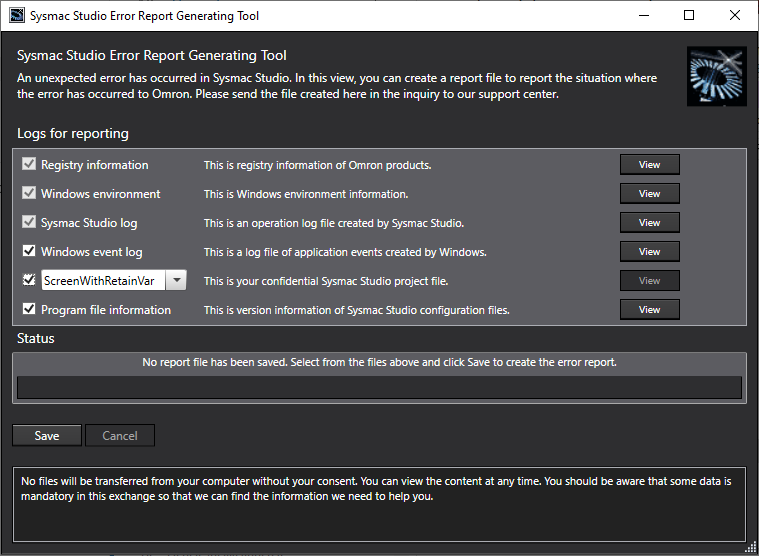
Click on the save button to generate the file
When the file is generated it will show a button with the file name in the box above the save button.
Press the button to open the file location. Share the file with omron in a mail or (preferably) via a file sharing program as Hightail or WeTransfer.
Was this article helpful?
That’s Great!
Thank you for your feedback
Sorry! We couldn't be helpful
Thank you for your feedback
Feedback sent
We appreciate your effort and will try to fix the article