Remote Access Solution takes you to our official website, where you can register to get a license for a GateManager domain.
Tips!RT100 Remote Access gives you a detailed guide to setting up the RT100.
RT100 QuickStart is a one-page guide describing what the device can do.
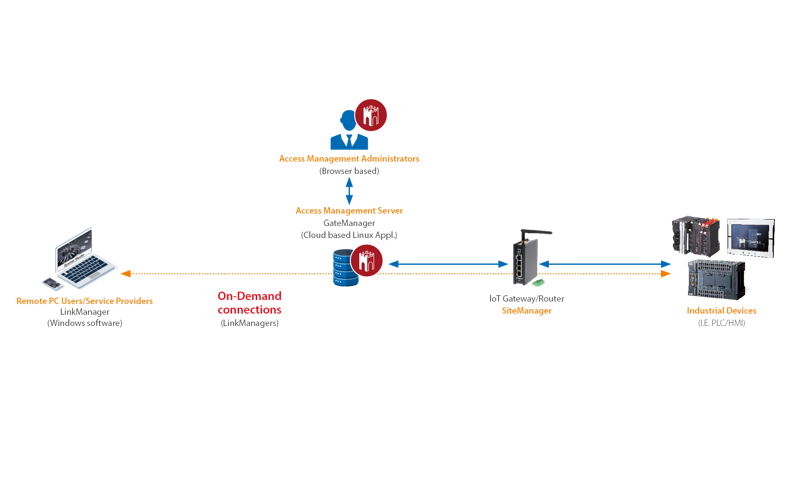
User licensesRT100 is a product developed by Secomea in Denmark. You can also use the RT100 without a license, but then only as a configurable switch and, on the model that supports it, a 4G modem. | Log Tunnel licenseFor a permanent connection between RT1 units. |
SiteManagerThe physical box you put in the cabinet with the CPU – the RT100. All 3 models have an UPLINK port to the internet and 3 ports for the local LAN, with a maximum of 10 agents. The three ports can be on the same subnet (bridge) or on 3 separate subnets (separation). Power: 12–24 VDC / 6 W. The Wi-Fi and 4G models prioritise the uplink (wired connection) as long as possible and switch over if the line drops. That gives you redundancy across 2 networks. In addition to Ethernet, it also has USB and RS232. You can set these ports up as agents, so your PC can use them as if they were physically in the PC. | 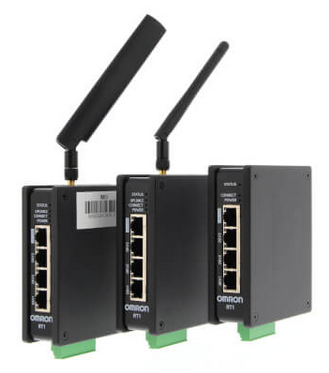 RT100 SiteManager |
GateManagerA server that handles the traffic between your PC and the SiteManagers over the internet. You must enter your license here before the system is up and running. It's a web-based service where you connect and manage your users and SiteManagers. Moving an RT100 between GateManagersTo move an RT100 to another GateManager, you must change the domain token. You also need to delete the RT100 from the original GateManager before rebooting the RT100 with the new domain token. | LinkManagerA driver that must be installed on your PC (from GateManager) to access the SiteManagers. It gives you a LinkManager adapter in Windows Network Connections. With LinkManager Mobile, you can log in to a device in the same way as with VNC and view its screens. Wi-FiHere is the manual for a function block that can change the Wi-Fi settings in the RT100 – handy if they aren't known to begin with. You can get the function block itself on request from support.norway@omron.com. | Log TunnelWith two or more SiteManagers, you can set up a permanent link for data exchange over the internet – typical for SCADA solutions and communication between CPUs. This function requires an additional license. 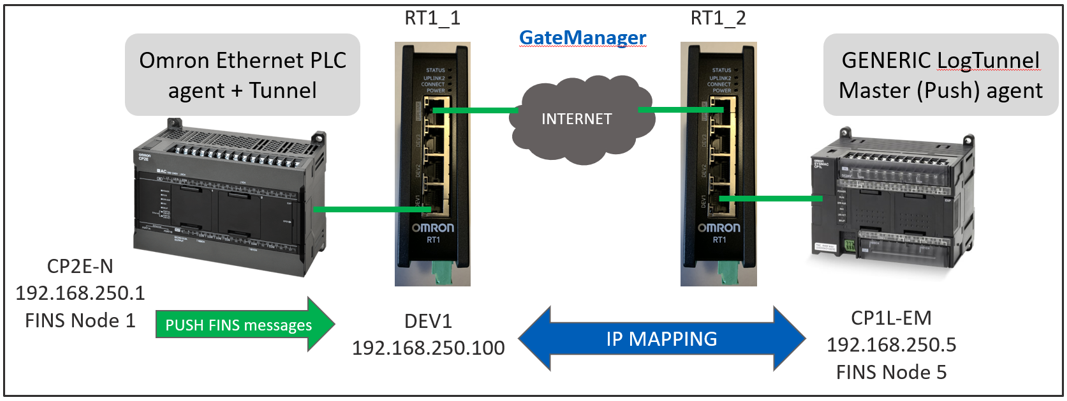 |
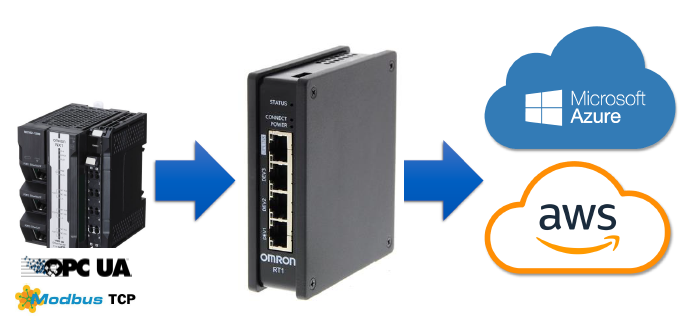
RT100 to the cloud
The RT100 can log data from the CPU with the DCM function. The data can, for example, be packaged in JSON format and sent to the cloud via MQTT. Contact Secomea about how to set this up. Communication is via OPC UA or Modbus TCP.
Sending and receiving SMS with RT100 and a Sysmac controllerA function block in the OEN_CommunicationSecure library can handle sending alarms by SMS. Alarms can be acknowledged by replying, and the CPU then confirms the acknowledgement with a new SMS. The number of users and alarm texts is in practice limited only by CPU memory. (Note that NX1P2 has very little retain memory.) The same message can be sent to several users or groups of users. You can also add a delay between each message, so the first user has time to acknowledge and stop further messages. Read more in the manual for the library. You can also extend the system by sending SMS commands, for example to change a setpoint, change users' phone numbers or trigger an event. The block uses TLS (security), so the CPU firmware (1.46 or later) must support it. Older CPUs can often be upgraded to the latest firmware with an SD card you can buy. | 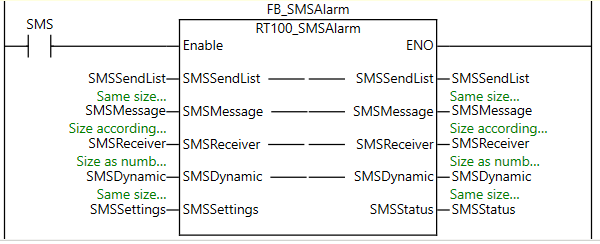 |
Was this article helpful?
That’s Great!
Thank you for your feedback
Sorry! We couldn't be helpful
Thank you for your feedback
Feedback sent
We appreciate your effort and will try to fix the article