NS went out of production in April 2022
Our suppliers of internal components for NS have stopped producing them, which affects our production of NS.
We recommend that customers with NS in their application look at alternatives such as NA5 or the NS-Runtime software.
Both newer NA5 and NS-Runtime (PC with an RS232 port) support serial communication.
When moving to NA5, the screens must be redrawn, but NA5 offers clearly better and more modern graphics. We have internal tools for converting from NS to NA, but it can still require a fair amount of adjustment, which we have to charge for.
NS-Runtime with its USB key can run the NS application without major modifications. NS-Runtime currently cannot run applications from version 8.2 and up. These must be downgraded to version 8.1 in CX-Designer. Run the file mod.exe under /CX-Designer to enable this.
NS comes in different sizes and with a choice of communication drivers. You create NS applications with CX-Designer, which comes with both CX-One and Sysmac Studio. You upload or download the application with a USB cable or via Ethernet.
NS screens can be opened in a browser on a PC for remote control.
| Check here whether you can use NS-Runtime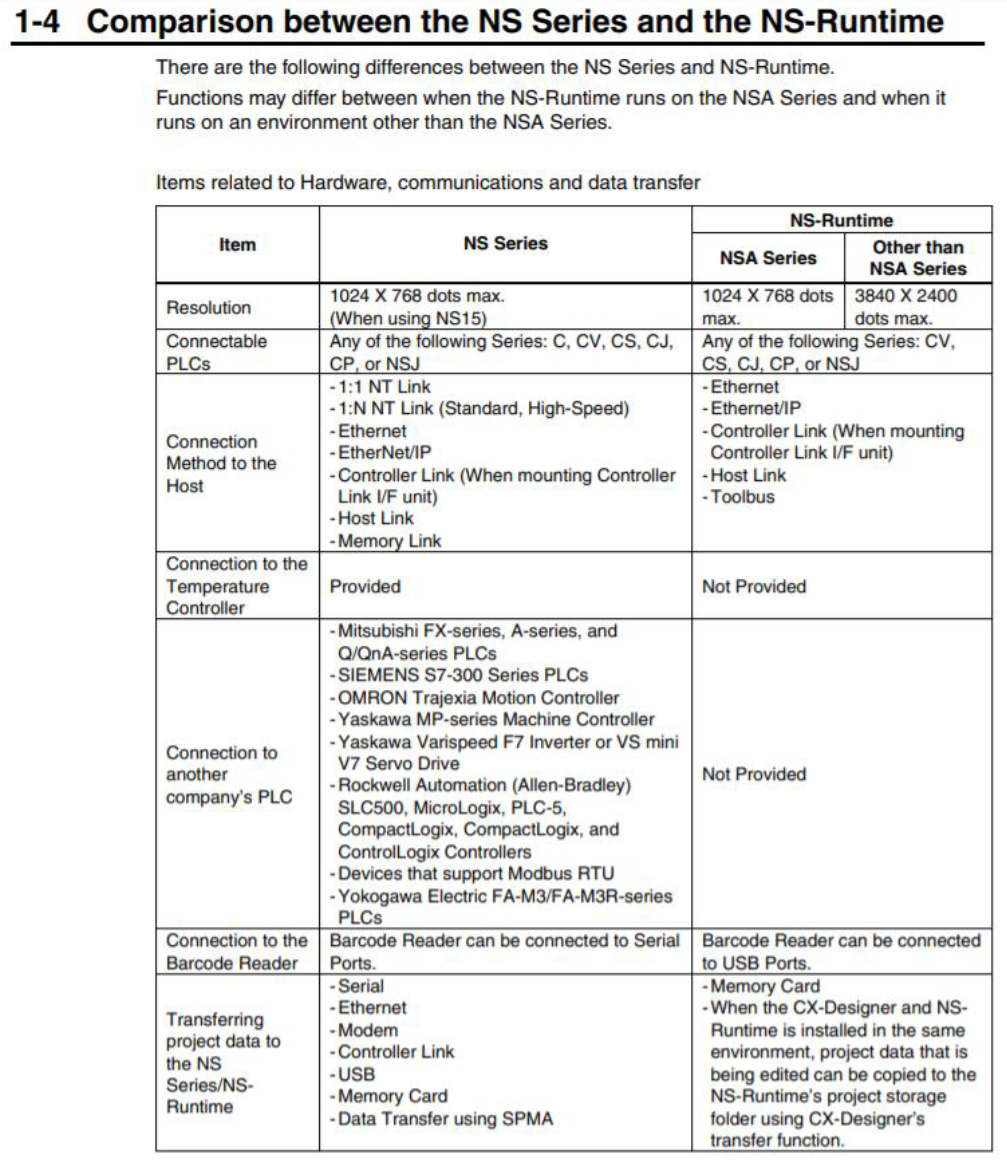 From manual V093 |
Upgrading the firmwareNS firmware is constantly being developed. You can find the change log in manual V073, Appendix 6. All NS panels can be upgraded to newer firmware, but there is a limit to how far you can go depending on the hardware. You can see the hardware version in the type designation (-V1 or -V2). See the attached HowToRecoverUpdate; here is a short version:
| System setupPress two corners of the screen at the same time to enter System Settings. |
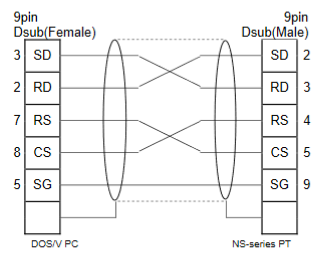 Serial cable between NS and PC | 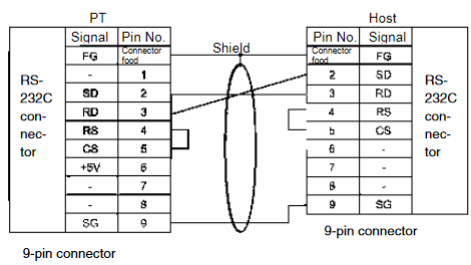 Serial cable between NS and PLC |
Was this article helpful?
That’s Great!
Thank you for your feedback
Sorry! We couldn't be helpful
Thank you for your feedback
Feedback sent
We appreciate your effort and will try to fix the article