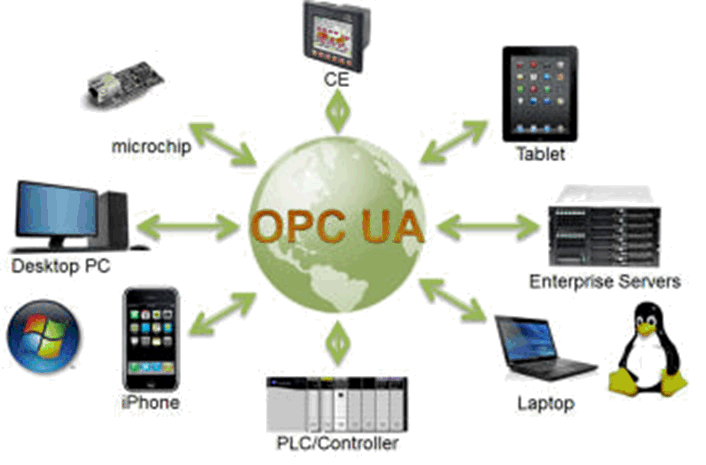
OPC UA is a standard for communication between devices. It is much more than a protocol for exchanging tag data, as we know it from FINS and EtherNet/IP. With OPC UA, you make a set of tags available, and it's then up to the client to subscribe to or sample the selection it wants. When browsing the available tags, you also get metadata, so data types etc. come along automatically. See also encryption and certificates below.
OPC UA has several profiles that define how many functions are available. Omron has chosen Micro Embedded for its controllers. Larger profiles require more computing power, which Omron's controllers instead prioritise for running the program and synchronised EtherCAT. With large numbers of tags, you should consider increasing the CPU's cycle time, and whether you can subscribe instead of sampling to get fast enough updates.
NJ5/NX5/NX102 OPC UA specifications
| NJ5/NX5/NX102 OPC UA server specifications
NJ5/NX5/NX102 OPC UA restrictions
|
Q: Sometimes there are no more sessions available, and we have to power cycle to get communication going again. What can we do? A: The problem has to be solved on the client side. See the links for more information. https://www.prosysopc.com/blog/opc-ua-sessions-subscriptions-and-timeouts/ https://reference.opcfoundation.org/v104/Core/docs/Part4/5.6.2/ | SummaryOmron NJ/NX is an OPC UA server that requires a client/master. In other words, two servers cannot communicate with each other. It's recommended to disconnect OPC UA before the CPU is switched off. There is a dedicated FB for this. OPC UA test client: https://www.unified-automation.com/downloads/opc-ua-clients.html |
Configuring OPC UA is fairly simple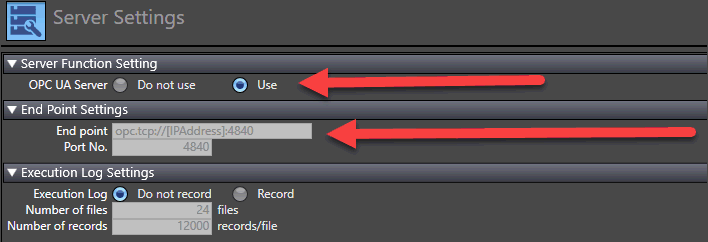 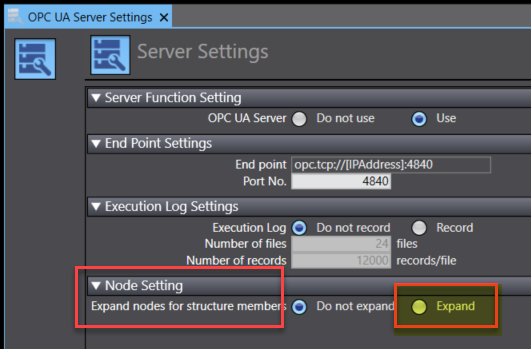 Here you can choose access to more levels in the structure Reset the controller afterwards. Set the variables to Publish Only. (Input/Output can also be used – there's no difference.) 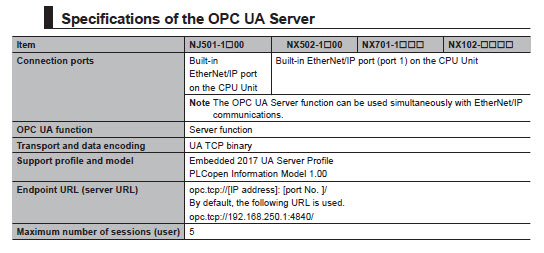 | Data types in NX/NJ and the OPC UA standard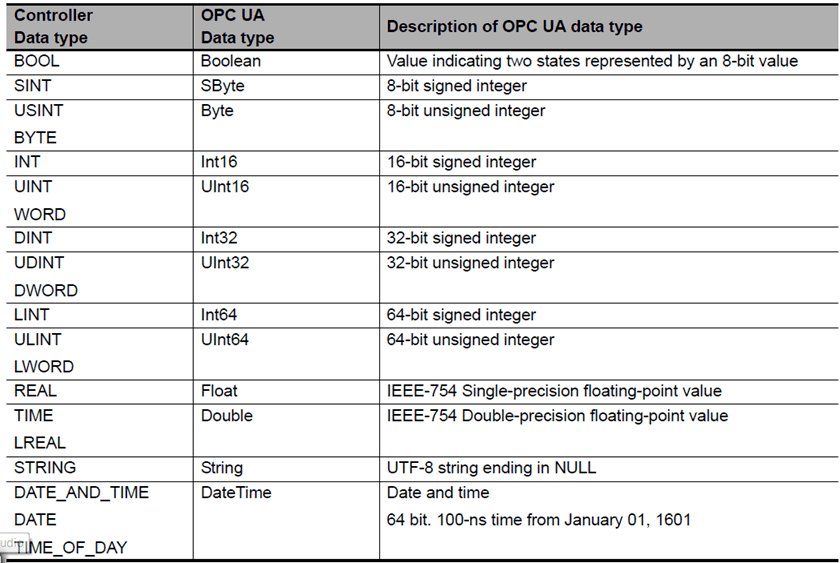 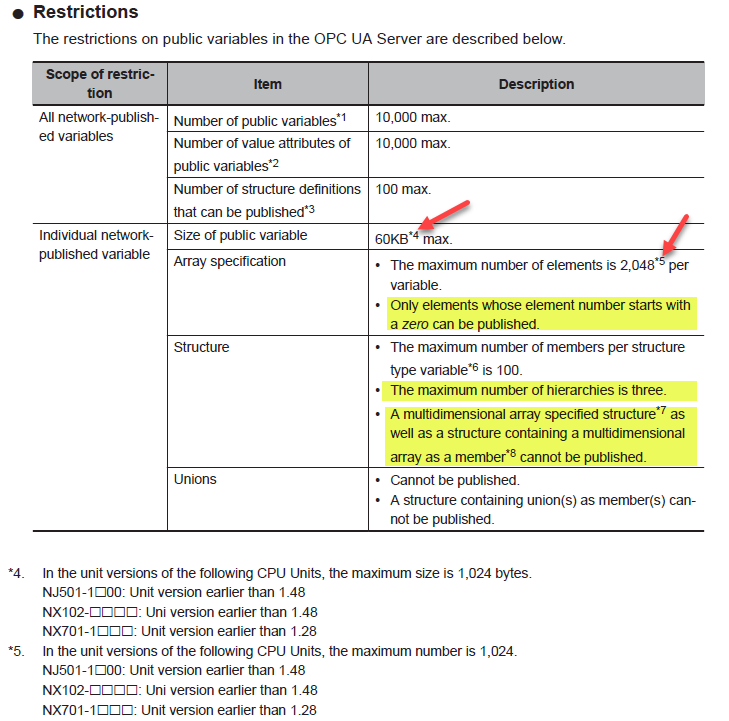 |
Excluding global input/output variables from OPC UA
If you have EtherNet/IP communication, variables must be set as Input/Output. Often you don't want to give access to these over OPC UA.
In that case, you cannot select Publish Global Variables in the OPC UA Server Settings.
One solution is to create an OPC UA function block containing the variables you want to share over OPC UA. Input/Output, In-Out and internal variables will then all be available.
Note that this only applies from firmware 1.62 on NJ and 1.64 on NX1/NX5.
See W588 3.3.2 for more.
Was this article helpful?
That’s Great!
Thank you for your feedback
Sorry! We couldn't be helpful
Thank you for your feedback
Feedback sent
We appreciate your effort and will try to fix the article