Introduction
This tutorial uses the example of the setting up of CISCO VPN Client Software in order to contact the outside world from your office to devices that are connected via an ADSL connection.
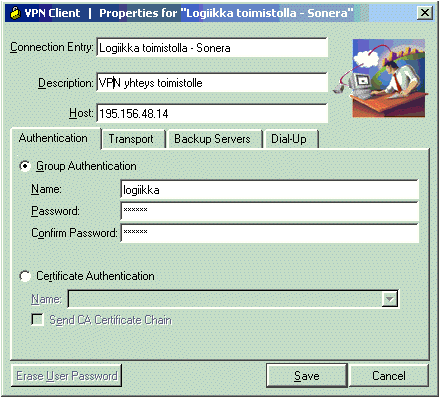
Host: 195.156.48.14 ->Office fixed IP-address
Name: logiikka
password: Apps4U
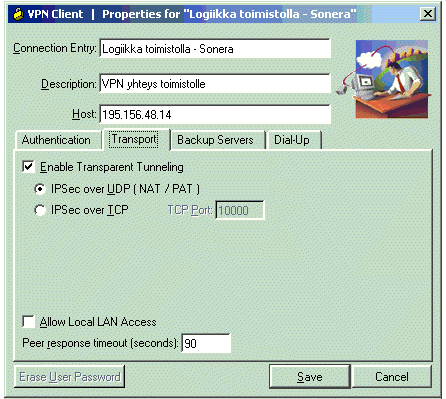
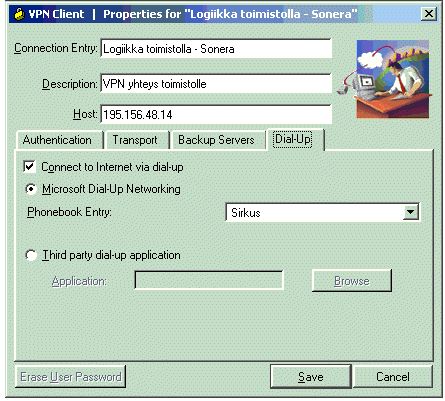
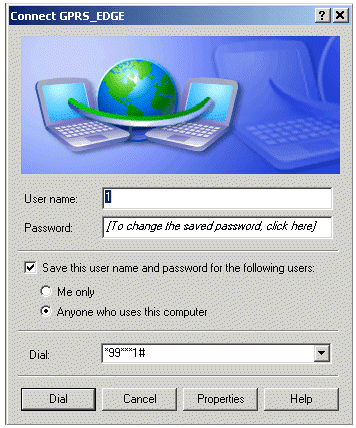
Open the internet connection SONERA GPRS_EDGE_3G to make the following call:
1. * 99 *** 1 # (* 99 # the number of an IP address which is not public and does not contact the Internet more than the logic operation)
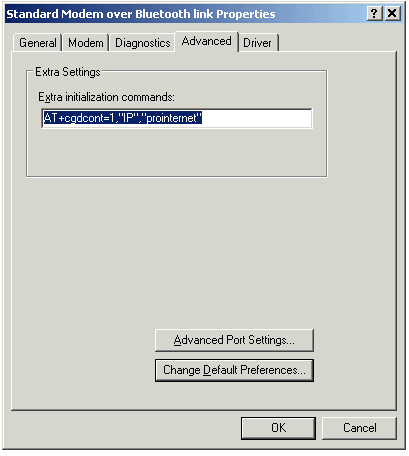
2. Connect to your modem settings to add the following initialization string AT + cgdcont = 1, "IP", "prointernet" (allows the public IP of the adoption)
Was this article helpful?
That’s Great!
Thank you for your feedback
Sorry! We couldn't be helpful
Thank you for your feedback
Feedback sent
We appreciate your effort and will try to fix the article