Introduction
Extended memory is available on many PLCs. Omron visualisation software is able to address this memory using a special syntax to refer to the correct memory area.
 |
|
CX-Supervisor
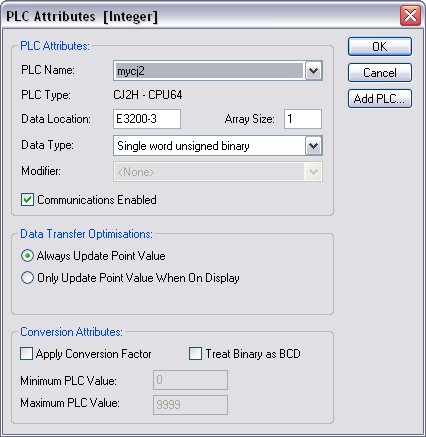
In the point editor, where you configure the PLC address, enter a hyphen and the bank number for example:
E3200-3
Or (depending on PLC type)
EM3200-3
This will address memory location 3200 in bank 3.
Here is an example using a CJ2:
CX-Server Lite and OPC
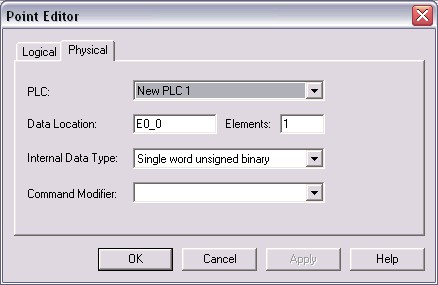
CX-Server Lite and OPC use a slightly different syntax using the '_' character :
Was this article helpful?
That’s Great!
Thank you for your feedback
Sorry! We couldn't be helpful
Thank you for your feedback
Feedback sent
We appreciate your effort and will try to fix the article