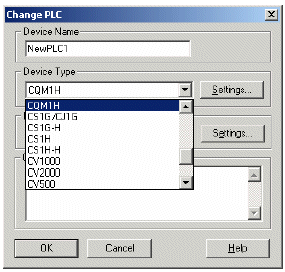
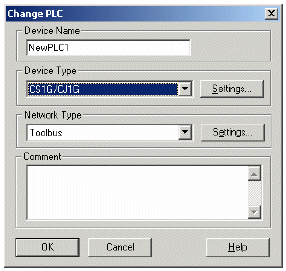
Select and existing project in the CPU and select the CPU in Device Type:
Then press OK and the next window pops up: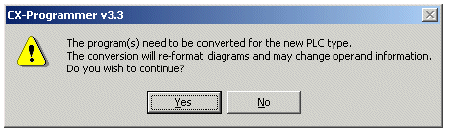
Choose Yes and the program is converted to the chosen CPU.
In the Output window are any errors and warnings that the conversion caused: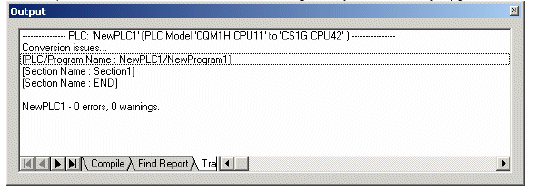
 |
 |
Then press OK and the next window pops up:
Choose Yes and the program is converted to the chosen CPU.
In the Output window are any errors and warnings that the conversion caused:
Double clicking on the error in the Output Window will take you straight into the area of program where the error has occurred.
Was this article helpful?
That’s Great!
Thank you for your feedback
Sorry! We couldn't be helpful
Thank you for your feedback
Feedback sent
We appreciate your effort and will try to fix the article