Introduction
Many internet and cloud sites use Web services with a REST API to share data. This sample program shows how you can use REST API methods from CX-Supervisor. This example project is written in CX-Supervisor version 4.0
Example
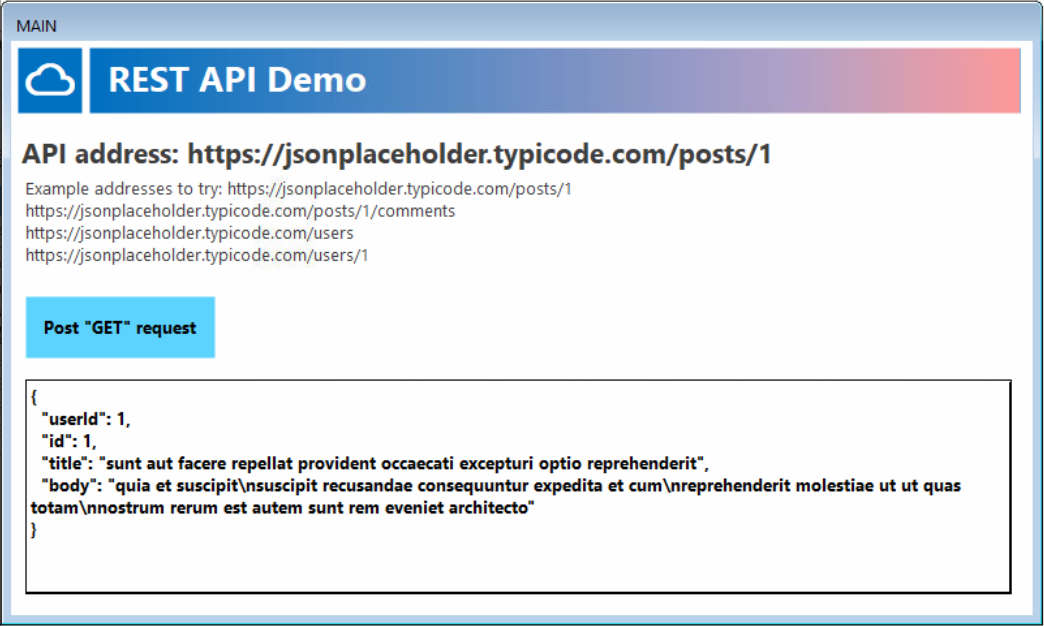
The attached example shows the code used in a Button to call the REST API:
- Click the address to edit as required
- Click the button [Post "GET" request] to call the REST API
- Look at the response returned in the text box
 |
Tip: The website https://jsonplaceholder.typicode.com is a third party website which can be used for testing REST API calls. Use the different addresses shown to get different results from the server. |
Code used behind the button (
txtAPIURL and txtReply should be defined as new Text Points):Set objHTTP = CreateObject("MSXML2.ServerXMLHTTP.3.0")
objHTTP.Open "GET", txtAPIURL, False
objHTTP.send
txtReply = objHTTP.responseText
Using the demo you can edit the API address to your own address, or one of the test data address examples listed. The
txtReply string can be processed, as depending on the data and format expected.
Was this article helpful?
That’s Great!
Thank you for your feedback
Sorry! We couldn't be helpful
Thank you for your feedback
Feedback sent
We appreciate your effort and will try to fix the article