TeamViewer is a software commonly used for taking remote control over other PC. It also supports a VPN feature that allows connection to devices connected to the remote computer.
The document attached here provides instructions to how to set up the VPN connection in a way that communication with PLC’s and NA-panels will be possible. In practice this means that the programming computer which has Sysmac Studio or CX-Programmer installed can be located anywhere, as long as it has an internet connection. The programming computer connects to the remote computer via TeamViewer VPN. The remote computer is connected to Omron hardware via EtherNet/IP and there is no need for it to have any Omron software installed. The remote computer works as a router for the programming computer and so enables the programming computer to have full featured connection to the Omron devices.
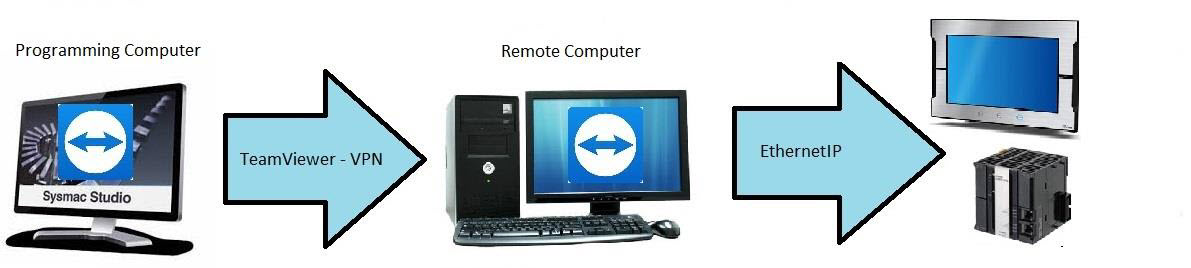
In order to work, the setup requires two computers. Omron programming software needs to be installed on the programming computer and TeamViewer with VPN driver needs to be installed on both of the computers. The setup made in the attached document works on both Sysmac Studio and CX-Programmer, though the instructions have been made with Sysmac Studio only.
Was this article helpful?
That’s Great!
Thank you for your feedback
Sorry! We couldn't be helpful
Thank you for your feedback
Feedback sent
We appreciate your effort and will try to fix the article