You can change the default printer using VBScript:
Add the following VBScript to your project when you want to change the printer:
Set WSHNetwork = CreateObject("WScript.Network")
WSHNetwork.SetDefaultPrinter "Canon iR2020 PCL5e"
In this case the Canon printer is the printer we want to change to....
This printer name can be copied from the rename box in the Printers and Faxes list within windows:
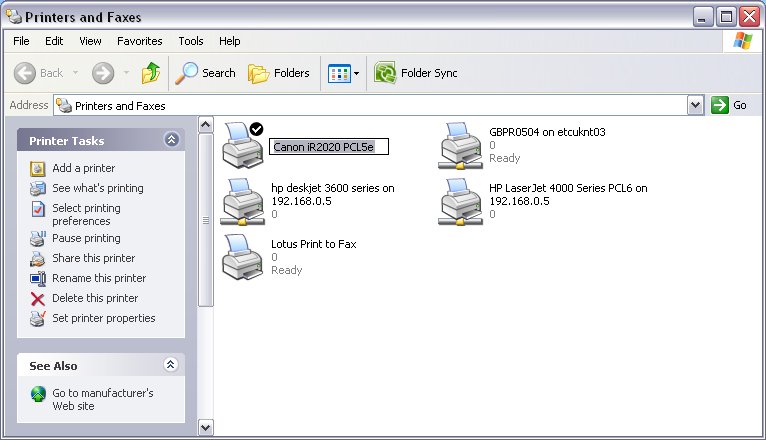
Note that this will change the Windows default printer so will affect all applications on this machine.
Was this article helpful?
That’s Great!
Thank you for your feedback
Sorry! We couldn't be helpful
Thank you for your feedback
Feedback sent
We appreciate your effort and will try to fix the article