Introduction
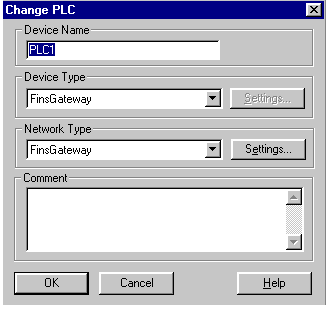
At present, CX-Server (v1.0 / 1.1) can not find drivers for SYSMAC Board. However, this can be worked around by defining the SCS in FINSGateway. In this case, Network Type is also FINSGateway. The Settings button is used to define the Node number which must be <= 126 Network and the Unit must be 0.
NOTE! SCSs involved should not be the FGW SysmacBoard driver ie it must separately purchased / installed.
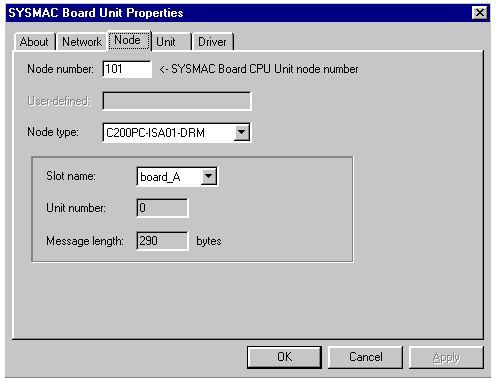
In the SYSMAC Board Properties window change the default 'Node number (230) for the same number as the SCS in the example: 101. In the window below this a FGW Service Manager displays a FGW Network Navigator button below which identifies the card, and the Properties button.
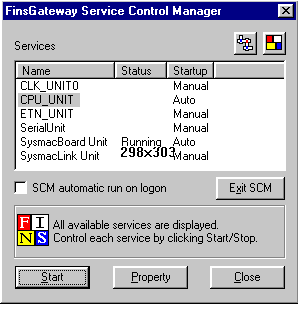
FINSGatewayn SysmacBoard Unit must be on so that traffic operates
Variables that can be used in this case are the DM and the CIO (IR).
Was this article helpful?
That’s Great!
Thank you for your feedback
Sorry! We couldn't be helpful
Thank you for your feedback
Feedback sent
We appreciate your effort and will try to fix the article