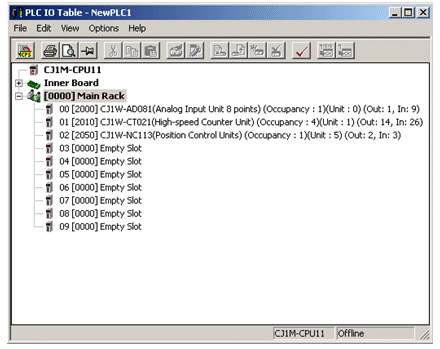
Setting up a special I / O unit is done in the I / O table.
After the data has been set it should then be sent to the unit. Establishment in the I / O table ensures that the data is written to the correct Data Memory addresses. Obviously, the PLC configuration is the same as the I / O table.
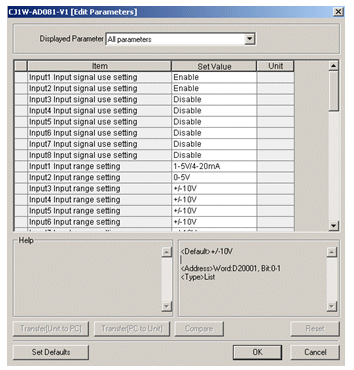
After creating the I / O table, manually or with the automatic Create tool, the offline units can be set by double-clicking on the Units. This can also be done Online, but the unit must be physically present, otherwise there will be an error message stating that the unit is not present
 |
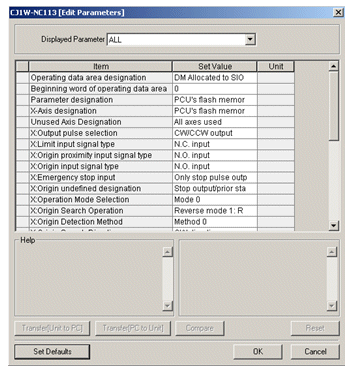 |
After the data has been set it should then be sent to the unit. Establishment in the I / O table ensures that the data is written to the correct Data Memory addresses. Obviously, the PLC configuration is the same as the I / O table.
Was this article helpful?
That’s Great!
Thank you for your feedback
Sorry! We couldn't be helpful
Thank you for your feedback
Feedback sent
We appreciate your effort and will try to fix the article