A PLC can have hexadecimal numbers and numbers with BCD (decimal) crossing.
A "#" next to a figure indicates that it is a hexadecimal number and a "&" is a BCD number.
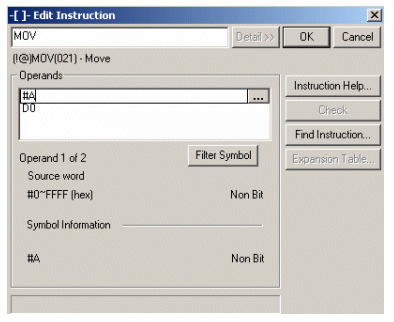
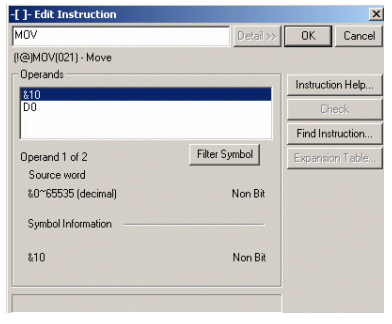
A "#" next to a figure indicates that it is a hexadecimal number and a "&" is a BCD number.
It should be noted that a constant value prefixed with &, is put as a HEX value in the PLC.
For example, if & 10 is in the command, then put in the HEX A number at that address.
If we literally put the number 10 in the contact to continue and it is a decimal number, then we put # 10 in the command itself as a programmer and remember that this is a decimal number and not a HEX number.
For example, if & 10 is in the command, then put in the HEX A number at that address.
If we literally put the number 10 in the contact to continue and it is a decimal number, then we put # 10 in the command itself as a programmer and remember that this is a decimal number and not a HEX number.
Was this article helpful?
That’s Great!
Thank you for your feedback
Sorry! We couldn't be helpful
Thank you for your feedback
Feedback sent
We appreciate your effort and will try to fix the article