Request:
"I added a language in the text library, but switching is not performed"
Solution:
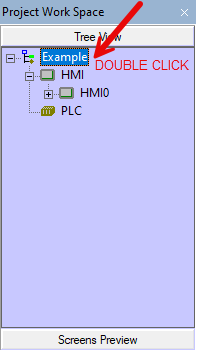
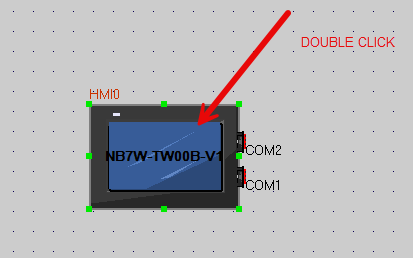
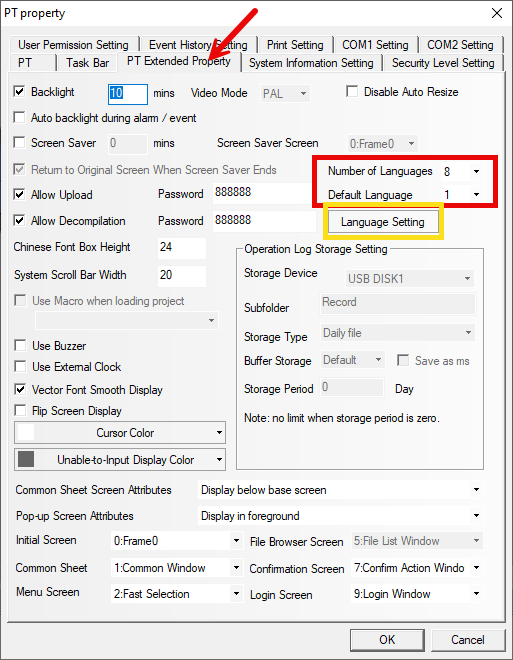
By double-clicking on the hmi and going to hmi extended attributes, verify that the number of languages that is greater than the default ones
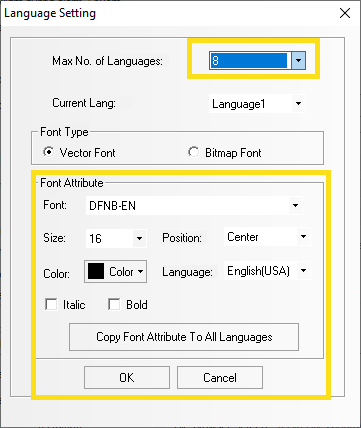
Furthermore, verify that the font/color of the font associated with the language change is different from the background of the panel (in the language setting).
Was this article helpful?
That’s Great!
Thank you for your feedback
Sorry! We couldn't be helpful
Thank you for your feedback
Feedback sent
We appreciate your effort and will try to fix the article